 January 27, 2026
 11 min read
OCR API is the piece of infrastructure that quietly sits behind most modern document automation, the endpoint a developer calls when an application needs to turn a photo of an invoice, a scanned contract, or a bank statement into data a database can actually use. If you’re evaluating one for the first time, the market can feel confusing fast: some products call themselves an API, others call themselves OCR software, and the line between “no-code tool” and “developer API” isn’t always obvious from a landing page.
This guide breaks down what an OCR API actually is, how it works technically, what separates a good one from a mediocre one, and how to figure out whether you need a full API integration or something simpler.
Quick answer: An OCR API is a cloud endpoint you send a document to, typically as a file upload over HTTPS, that returns the recognized text or structured data as JSON. The best OCR APIs in 2026 go beyond flat text extraction and return semantic fields, such as invoice number, total amount, and due date, directly usable in your application without additional parsing.
What Is an OCR API?
An OCR API is a programmatic interface that lets software send an image or document to a recognition engine and receive back machine-readable text or structured data, without a human ever looking at the file. Instead of a person uploading a document to a website and downloading a result, your application makes a request in code and gets a response it can act on immediately.
OCR API vs. No-Code OCR Tools: What’s the Difference
A no-code OCR tool, the kind where you drag a file into a browser and download a spreadsheet, is built for a person doing this occasionally by hand. An OCR API is built for software doing this automatically, at scale, as part of a larger workflow, with no manual step in between. Both often use similar underlying recognition technology; the difference is entirely about how you access it, one is designed for a human, the other for code.
Legacy Pattern-Matching APIs vs. AI-Native, Semantic APIs
Older OCR engines compare each character against a library of known font templates and return a flat block of recognized text, leaving your application to figure out which part of that text is a date, a total, or a line item. Newer, AI-native APIs use trained models to understand document structure directly, returning labeled fields instead of raw text. This distinction matters more than almost anything else when evaluating an API, since it directly determines how much parsing logic you’ll need to write yourself afterward.
How an OCR API Works Under the Hood
Regardless of provider, most OCR APIs follow a similar sequence from the moment a file is sent to the moment structured data comes back. If you want the deeper mechanics behind recognition itself, from image pre-processing to how characters actually get matched, this breakdown of how OCR technology works covers that layer in more detail; here, the focus is specifically on how that process gets wrapped into an API.
Sending a Request: REST Endpoints and File Upload
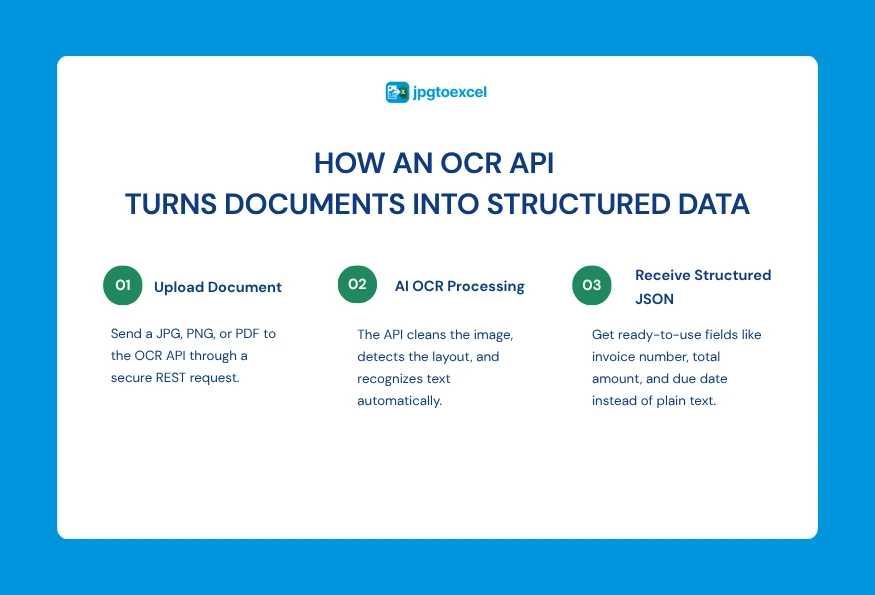
You send a document, typically a JPG, PNG, or PDF, to a secure REST endpoint using a standard POST request, usually authenticated with an API key passed in the request header. The file itself is sent as multipart form data, the same mechanism used for any file upload over HTTP.
Pre-processing and Recognition
Once received, the API cleans up the image: straightening rotated pages, adjusting contrast, and removing background noise. The recognition engine then identifies text and, for more advanced APIs, the document’s layout, distinguishing a table from a paragraph and a header from a line item.
The Response: Flat Text vs. Structured JSON Fields
The API returns its result as JSON. A basic engine returns one long string of recognized characters, leaving you to write regex or manual logic to extract anything useful. A more advanced, AI-native API returns pre-labeled fields, so an invoice comes back as invoice_number, total_amount, and due_date rather than a wall of unstructured text you still have to parse yourself.
A Basic OCR API Request, Explained
Here’s a simplified, illustrative example of what a typical OCR API call looks like in practice, using Python as an example.
Example Request Structure
import requests
API_KEY = “your_api_key_here”
API_URL = “https://api.example-ocr-provider.com/v1/extract”
with open(“invoice.pdf”, “rb”) as file:
response = requests.post(
API_URL,
headers={“Authorization”: f”Bearer {API_KEY}”},
files={“file”: file}
)
data = response.json()
print(data)
Example Response Structure
{
“file_name”: “invoice.pdf”,
“extracted_data”: {
“invoice_number”: “INV-2026-0417”,
“total_amount”: “1,240.00”,
“due_date”: “2026-08-15”,
“line_items”: [
{ “description”: “Consulting Services”, “amount”: “1,000.00” },
{ “description”: “Processing Fee”, “amount”: “240.00” }
]
}
}
The exact field names and authentication method vary by provider, but this general shape, authenticated POST request in, structured JSON out, is close to universal across modern OCR APIs.
What to Evaluate When Choosing an OCR API
With dozens of providers on the market, from Google Cloud Vision and AWS Textract to smaller, specialized platforms, a few criteria matter more than the marketing copy on any single landing page. If you’re still weighing whether you need a paid API at all versus a free tool, this comparison of free vs. paid OCR software is a useful starting point before evaluating specific API vendors.
Accuracy on Your Specific Document Types
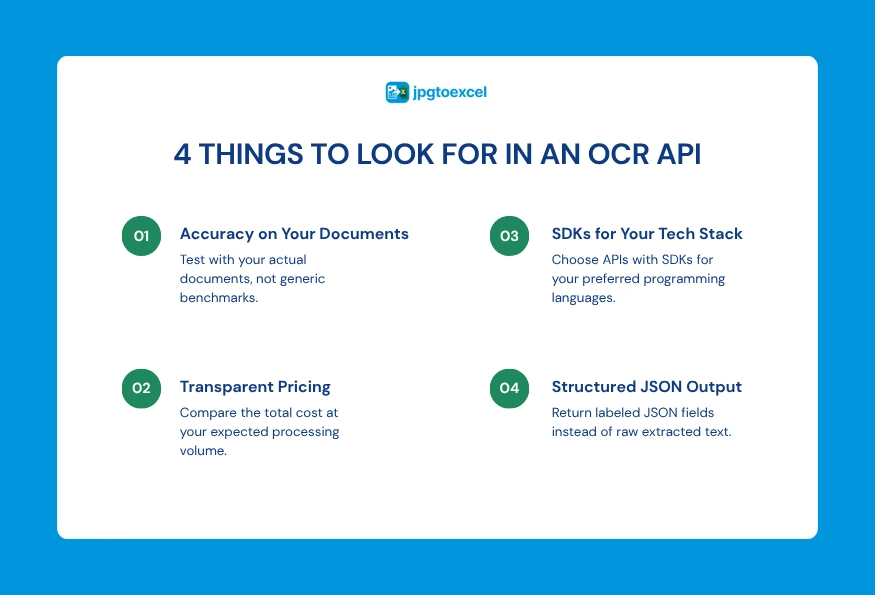
General accuracy numbers are only somewhat useful. A provider claiming 99 percent accuracy on clean, printed English text may perform very differently on a handwritten form or a multi-column financial report. Test against your actual documents before committing.
Pricing Model and Per-Page Cost at Scale
Most OCR APIs charge per page or per document, and headline pricing can hide real costs. Some providers charge extra for features like table extraction or structured field detection that get bundled into the base price elsewhere, so it’s worth calculating total cost at your expected volume rather than comparing list prices alone.
SDK and Language Support
Check whether the provider offers official SDKs for the languages your team actually uses, Python, Node.js, Java, PHP, Go, and Ruby cover most common stacks. A well-documented SDK with working code samples saves real integration time compared to building requests from scratch against raw API docs.
Output Format: Raw Text vs. Semantic Fields
As covered above, this is often the single biggest factor in how much development work an integration takes. An API that returns labeled fields directly can save days of parsing logic compared to one that only returns flat text.
Here’s a quick reference for what to weigh:
| Criteria | What to Look For |
| Accuracy | Test against your own real documents, not just vendor benchmarks |
| Pricing | Total cost at your actual volume, including add-on features |
| SDK support | Official libraries for your team’s language, with working examples |
| Output format | Structured, labeled JSON fields rather than raw text |
| Onboarding | Clear documentation and responsive support during integration |
No-Code Tool vs. Developer API: Which Do You Actually Need?
Not every team that searches for an OCR API actually needs one. This is worth being honest about before you invest engineering time into an integration.
When a No-Code Converter Is Enough
If you or a small team occasionally need to turn a photo of a receipt, invoice, or table into an editable spreadsheet, a no-code tool solves that problem directly, with no development work, no API key, and no code to maintain. A free, no-code image to Excel converter is built exactly for this kind of one-off or low-volume use.
When You Need a Full Developer API
If your application needs to process documents automatically, at volume, as part of a workflow with no human in the loop, a manual upload tool isn’t the right shape for the problem. That’s when a proper OCR API, with authentication, structured JSON responses, and SDKs for your stack, becomes necessary.
Where jpgtoexcelconverter.com and Valitract Fit In
These two needs sit at opposite ends of the same spectrum, and they’re served by two different products built for exactly that. For manual, browser-based conversion, jpgtoexcelconverter.com turns an image into an Excel file in seconds with no signup. For developers who need to integrate document extraction directly into their own software, Valitract’s OCR API provides a REST endpoint with SDKs across multiple languages and structured, semantic field extraction out of the box. Knowing which one fits your actual workflow before you start building saves a lot of wasted integration time.
Common Use Cases for OCR APIs
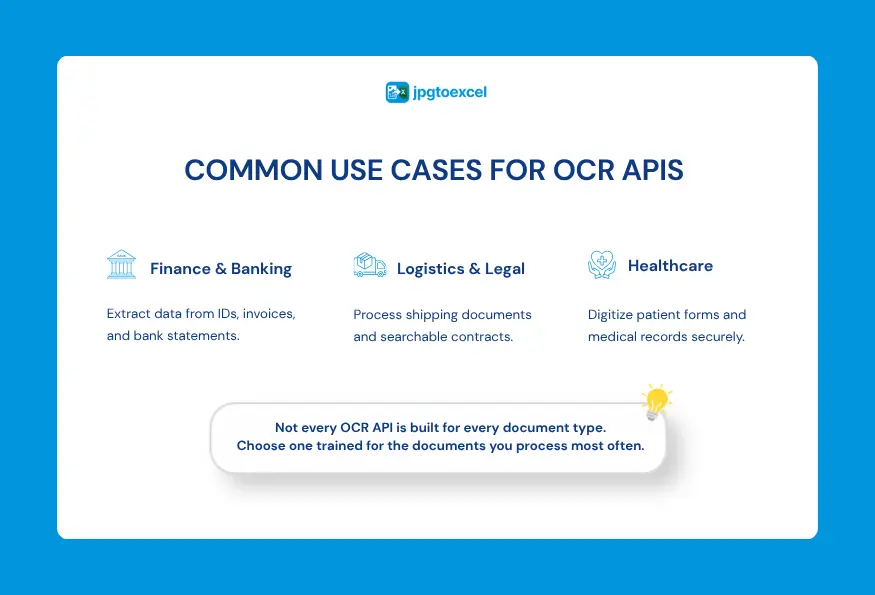
OCR APIs show up across a wide range of industries, usually anywhere a business processes documents at a volume too high for manual data entry to keep up.
Finance and Banking (KYC, Invoices)
Banks and fintech apps use OCR APIs to read ID documents during identity verification and to extract data from invoices and bank statements automatically, rather than requiring a person to type in every field.
Logistics and Legal Document Processing
Logistics companies use OCR APIs to read shipping labels and bills of lading at scale, while legal teams use them to search and extract data from large volumes of contracts and case files.
Healthcare Record Digitization
Healthcare organizations use OCR APIs to digitize patient intake forms and records, though this use case typically requires a provider with a signed compliance agreement, not a general-purpose API, given the sensitivity of the data involved. This guide on how OCR automates health insurance claims processing looks at a related, more specific example of this in practice.
FAQs about OCR API
What’s the difference between an OCR API and OCR software?
OCR software is typically used directly by a person through an interface, uploading a file and downloading a result. An OCR API is built for software to call programmatically, returning data without a human step in between.
Do I need to be a developer to use an OCR API?
Yes, in practice. Integrating an API requires writing code to send requests and handle responses. If you don’t need automated, programmatic processing, a no-code OCR tool is a simpler fit.
How much does an OCR API typically cost?
Pricing is usually per page or per document, ranging from a small fraction of a cent to several cents per page depending on the provider and the complexity of the extraction, with volume discounts common at higher usage tiers.
Can OCR APIs extract tables, not just text?
Yes, though accuracy varies significantly between providers. More advanced, AI-native APIs are specifically built to detect table structure and preserve rows and columns, while basic OCR engines often only return a flat block of text.
Is there a free way to test OCR before committing to an API?
Yes. Trying a free, no-code OCR tool first is a low-risk way to see how well a given recognition engine handles your actual document types before investing time in a full API integration.
Final Thoughts
An OCR API is ultimately just a way to give your software the ability to read documents the way a person would, without the person. The technology behind it has moved well past simple character matching, with modern providers returning structured, labeled data instead of a wall of raw text.
Before integrating anything, it’s worth being clear about which problem you actually have.
If it’s occasional manual conversion, a no-code tool like jpgtoexcelconverter.com will get you there in seconds with no setup. If it’s automated, high-volume document processing built into your own application, Valitract’s OCR API is built specifically for that integration, with SDKs ready across the languages most development teams already use.
- Email: contact@jpgtoexcelconverter.com
- LinkedIn: https://www.linkedin.com/in/jpgtoexcelconverter/
- X: https://x.com/jtoexcelconvert