
 December 5, 2025
 11 min read
No Code OCR Integration: The Complete Guide to Automating Data Entry Without a Developer
No Code OCR Integration is the ultimate solution for modern business teams who are currently drowning in a sea of digital paper. Every day, organizations across the globe receive a relentless flood of PDF invoices, scanned receipts, and complex forms. Historically, this flood created a massive bottleneck for operations because someone had to manually type that data into a spreadsheet or a central database. This manual process is notoriously slow, boring, and leads to expensive human errors that can compromise financial reports.
For a long time, automating this process was a luxury only accessible to massive corporations. You needed to hire a team of expensive software engineers to write complex code to connect different systems. However, the technology landscape has shifted completely. We have entered the era of No Code OCR Integration, which democratizes data extraction for everyone. This new approach allows non-technical users to build powerful automated workflows using simple drag-and-drop tools. You no longer need a computer science degree to integrate OCR without coding skills; the power of automation is now in your hands.
How No Code OCR Works: The Anatomy of a Workflow
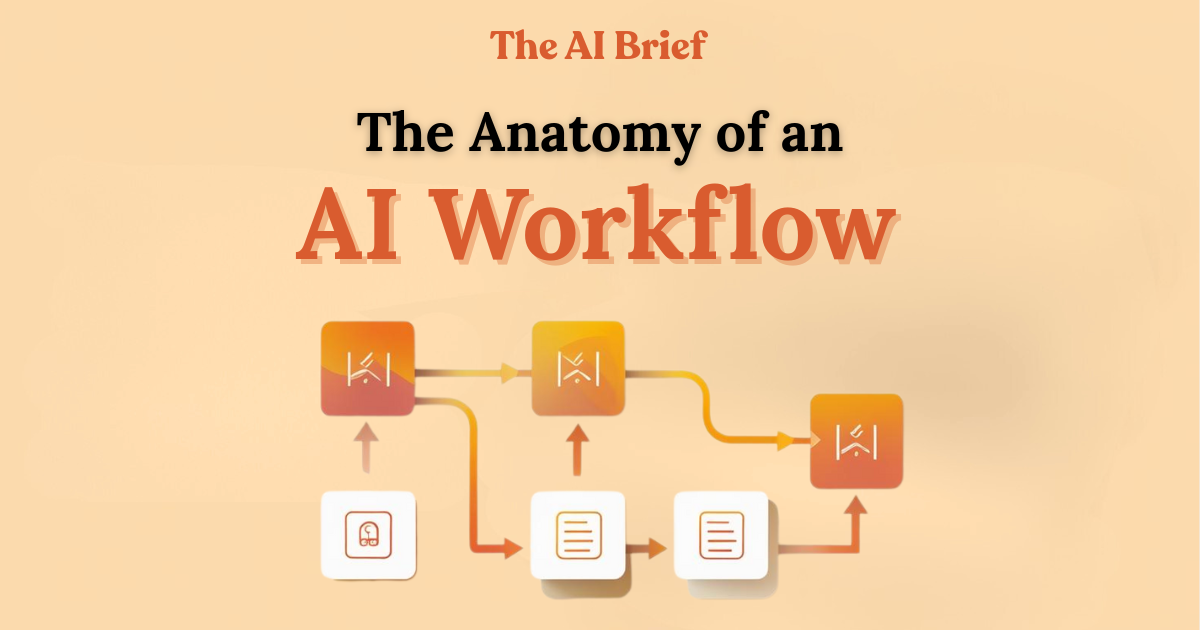
To master No Code OCR Integration, you must first understand the underlying system architecture. Think of it as building with digital Lego blocks where each piece serves a specific function. A typical automated workflow consists of four distinct parts, moving in a logical sequence from start to finish.
1. The Trigger (The Signal)
The trigger is the initial event that signals the start of the automation. It tells the virtual robot that there is a new document waiting to be processed. Common triggers in a No Code OCR Integration setup include a new email arriving in a specific Gmail inbox, a new file being uploaded to a Dropbox folder, or a user submitting a form on your website.
2. The OCR Engine (The Brain)
Once the trigger is activated, the document is sent to the OCR Engine. This is the intellectual core of the operation. Modern engines utilize Artificial Intelligence to scan pixels and convert them into machine-readable text. Whether it is a messy invoice or a clear passport scan, the engine identifies characters and structures them into a format that a computer can understand.
3. The Connector (The Bridge)
Extracted text is useless unless it is moved to a destination where it can be used. This is where the Connector comes in. Tools like OCR Zapier setups act as the bridge, carrying the extracted data from the engine and delivering it to your target application.
4. The Action (The Result)
The final step is the Action. This is the actual result you want to achieve, such as creating a new row in a Google Sheet, updating a CRM record in Salesforce, or generating a financial report. This completes the cycle of your No Code OCR Integration, effectively replacing hours of manual typing with seconds of automated processing.
Essential Tools for Successful Integration
Choosing the right stack is critical for your success. You need a perfect harmony between your integration platform (the glue) and your OCR engine (the reader).
-
Zapier: This is the gold standard for beginners. An OCR Zapier workflow is incredibly intuitive and connects with over 5,000 different applications. It is perfect for simple “If This, Then That” scenarios.
-
Make.com: For users who need more sophisticated logic, OCR Make integration is the preferred choice. It allows for multi-step branching, data filtering, and complex calculations within the workflow.
-
AI-Driven Engines: Platforms like Nanonets and Docparser are essential for high-accuracy extraction. Unlike basic software, these AI tools understand the layout of a document, knowing the difference between a “Total Amount” and a “Tax ID” regardless of where they appear on the page.
Top Use Cases for No Code OCR Integration
The versatility of this technology means it can be applied to almost any department within a business. Here are the most impactful ways to integrate OCR without coding:
1. Accounts Payable Automation
Processing invoices is the most common use case. Manual invoice entry is a primary source of office stress. With No Code OCR Integration, your system can automatically read the vendor name, date, and line items, then push them directly into accounting software like Xero or QuickBooks. This reduces payment cycles and eliminates late fees.
2. Identity Verification and Onboarding
For businesses in finance or real estate, customer onboarding requires checking government IDs. Manually reviewing passports or driver’s licenses is a security risk and is incredibly slow. By using a specialized OCR Make integration, you can scan IDs instantly, extract the legal names and document numbers, and cross-reference them with your database for instant verification.
3. Logistics and Supply Chain Tracking
Shipping labels and bills of lading are the lifeblood of logistics. However, they are often paper-based. A smart OCR Zapier setup can read these labels as they are scanned in the warehouse, updating your inventory trackers in real-time without a single human keystroke.
Step-by-Step Guide: Building Your First Automation
Ready to build your first “Robot”? Let’s walk through a standard invoice-to-spreadsheet workflow using Gmail, an AI OCR engine, and Google Sheets.
-
Set the Trigger: In your integration platform, create a new workflow. Select Gmail as the trigger app and choose “New Attachment.” Filter this to only look for emails with the word “Invoice” in the subject line.
-
Connect the OCR Engine: Add a step to send that attachment to your OCR provider (like Nanonets). Use their “Extract Data” feature to identify the specific fields you need.
-
Map the Data: Add Google Sheets as the final step. Map the “Invoice Total” from the OCR step to your “Amount” column in the spreadsheet.
-
Test and Validate: Send a test email. If the data appears in your sheet, you have successfully mastered No Code OCR Integration.
Challenges and Best Practices for High Reliability
While the technology is powerful, you must follow best practices to ensure it runs smoothly as you scale.
-
Handling Handwriting: AI is better at reading printed text than messy handwriting. If your documents are handwritten, ensure you use a specialized AI model designed for “ICR” (Intelligent Character Recognition).
-
Human-in-the-Loop: For critical financial data, never trust AI 100% blindly. Set up a logical filter where if the AI’s “confidence score” is below 90%, the data is sent to a human for a quick manual approval.
-
Data Formatting: Always use a “Formatter” tool within your OCR Make integration to standardize dates and currency. This ensures your data remains clean and ready for analysis.
Why jpgtoexcelconverter.com is The Right Solution For You?
Choosing the right partner for your automation journey is essential. At jpgtoexcelconverter.com, we simplify the complexities of document processing. We specialize in high-precision OCR technology that allows you to transform static images into perfectly structured Excel files without any technical hurdles.
Our platform is designed to be the central hub for your No Code OCR Integration strategy. We provide the speed, accuracy, and reliability that professional businesses demand. Whether you are a small business looking to save time or a large team looking to eliminate errors, we offer the tools you need to succeed. Trust jpgtoexcelconverter.com to turn your manual bottlenecks into a high-speed digital engine.
Conclusion
The era of manual data entry is coming to an end. No Code OCR Integration has placed the power of enterprise-grade automation into the hands of every business owner and office manager. You no longer need to wait for a developer or a massive IT budget to fix your workflow.
By choosing to integrate OCR without coding, you are reclaiming your time and protecting your business from the risks of manual error. Start small, pick your most repetitive task, and use tools like OCR Zapier or OCR Make integration to build your first workflow. The future of trade and administration is digital, frictionless, and code-free. Take the first step toward a more efficient future today.


