 January 22, 2026
 11 min read
Lab report OCR is the technology behind a problem almost everyone with an ongoing health condition eventually runs into: years of cholesterol, blood sugar, or thyroid results, each one trapped on its own printed sheet or scanned PDF, with no easy way to see how the numbers have actually moved over time.
Every new test means another loose page to file away, and comparing this year’s results to last year’s means digging through a folder, squinting at faded print, and doing the math by hand. Multiply that by every test on a full panel and it stops being a minor annoyance.
This guide explains what lab report OCR actually is, how it technically extracts patient details, test values, units, and reference ranges from a scanned or photographed report, and where the real boundaries are between a general-purpose tool and a certified clinical system. By the end, you’ll know exactly what a tool like this can safely do for your own health records, and how to turn a stack of paper results into a spreadsheet you can actually track over time.
What Is Lab Report OCR?
Lab report OCR refers to optical character recognition technology applied specifically to laboratory test results, blood panels, urinalysis reports, and similar medical documents. Rather than just reading text off a page the way general OCR does, it’s built to recognize the structure common to these reports: a test name next to a numeric value, followed by a unit and a reference range.
How It Differs from General-Purpose OCR
Standard OCR is good at reading plain text or simple tables. Lab reports add a layer of complexity because the same value can mean nothing without its context. The number “105” is meaningless on its own, but “Glucose: 105 mg/dL (Reference: 70 to 99)” tells a very different story. Lab report OCR needs to understand these relationships, not just recognize the individual characters.
Who Actually Uses It: Patients vs. Clinics vs. Researchers
Three very different groups search for this technology, and they need very different tools. Individual patients want to digitize their own results to track trends over time or share a clean spreadsheet with a new doctor. Clinics and hospitals need to pull structured data directly into electronic health record systems at scale, often across thousands of patients. Researchers need to aggregate large volumes of anonymized data for studies. These groups have overlapping needs on the surface but very different requirements underneath, especially around compliance and integration.
Know What Lab Report OCR Is Really Designed For
Before going further, it’s worth being direct about scope, since health data deserves a higher bar for honesty than most content categories.
Good For: Personal Health Tracking and Digitizing Your Own Records
A general-purpose OCR tool that converts images to Excel is a genuinely useful way to turn your own printed or scanned lab results into an editable spreadsheet. This works well for personal record-keeping, building a simple chart of a specific value over several years, or organizing results before a doctor’s appointment.
Not a Replacement for HIPAA-Compliant Clinical or EHR Systems
If you’re a clinic, hospital, or lab handling patient data at scale, you need a system with a signed Business Associate Agreement (BAA) under HIPAA, or equivalent data protection commitments under regulations like GDPR, along with direct integration into your electronic health record system. A general-purpose OCR tool built for converting images into spreadsheets is not designed or certified for that use case, and no vendor should be trusted on this point without documented proof, not just a claim on a website.
What to Check Before Uploading Any Medical Document Online
Regardless of which tool you use, check three things first: whether files are encrypted in transit, whether the provider states a clear file deletion policy after processing, and whether the company publishes any privacy documentation you can actually read rather than a vague promise. If a tool can’t answer these clearly, that’s a reason to hold off on uploading anything containing real patient information.
How Lab Report OCR Works: The Technical Workflow
Once scope is clear, the underlying technology is genuinely interesting and follows a fairly consistent process across most tools in this category.
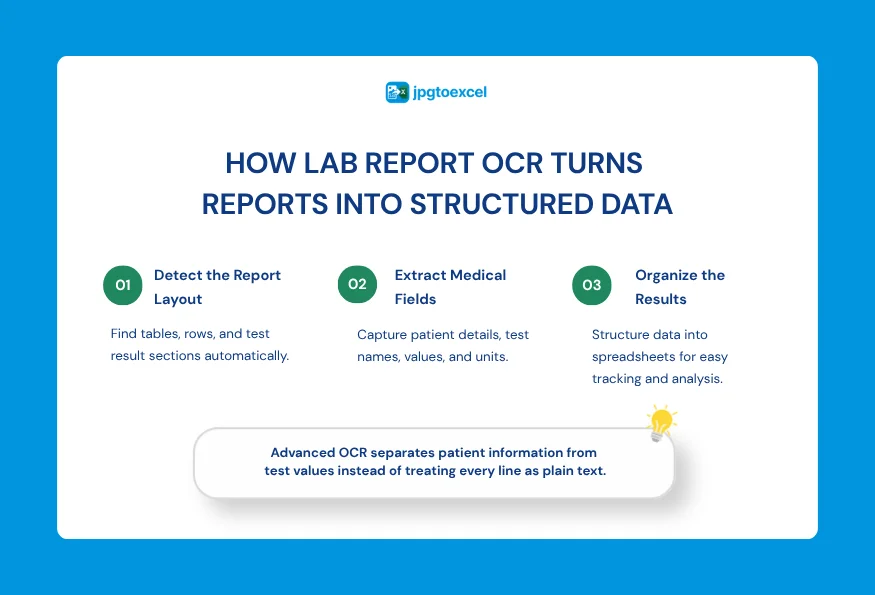
Image Pre-processing and Table/Grid Detection
The process starts the same way any OCR does: the image is cleaned up, straightened, and noise is removed. From there, the system identifies the report’s table structure, locating where test names, values, and units sit relative to each other, even when the layout uses faint gridlines or none at all.
Semantic Field Extraction: Separating Patient Info From Test Values
Using natural language processing alongside the recognized text, the system learns to distinguish between different categories of information on the page. It recognizes that a name near the top of the page is likely the patient, that “WBC Count” is a test parameter, and that a number sitting next to it is that test’s result, rather than treating every line on the page as equal.
Unit Normalization and Reference Range Matching
Different labs report the same test using different units, glucose might appear in mg/dL in one report and mmol/L in another. More advanced systems can normalize these units so values are comparable across reports from different sources, and match each result against the reference range printed on the same document.
What Data Gets Captured From a Lab Report
A well-built extraction process typically pulls out several distinct categories of information from a single report.
Patient and Test Metadata
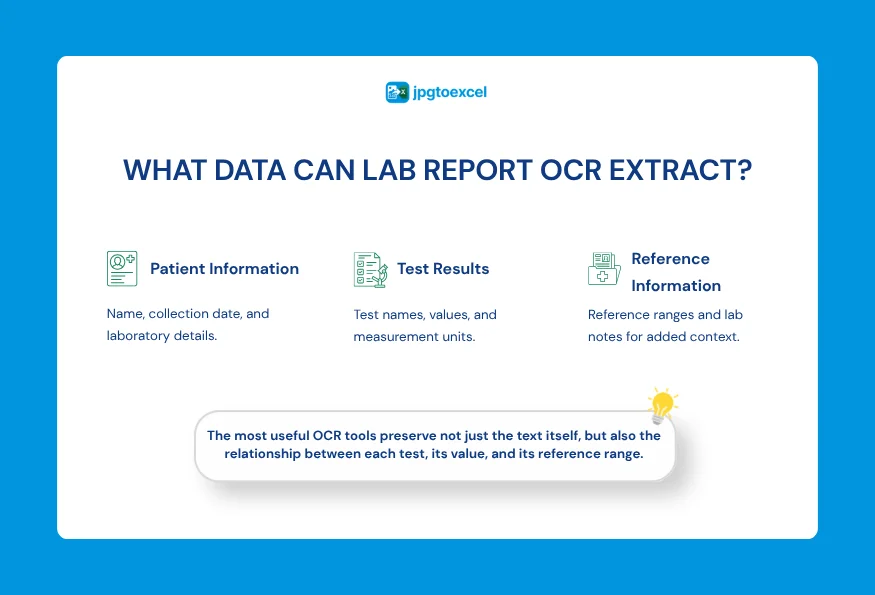
This includes the patient’s name, the date the sample was collected, and details about the lab or facility that produced the report.
The Result Matrix: Test Parameters, Values, and Units
This is the core data: individual test names such as hemoglobin, cholesterol, or liver enzyme levels, paired with their numeric results and the unit each was measured in.
Reference Ranges and Notes
Most reports include the normal range for each test, along with any handwritten or printed notes from a lab technician or physician that add context to the results.
Common Challenges in Reading Lab Reports
Lab reports are notoriously inconsistent, which makes this a genuinely harder OCR problem than reading a standard invoice.
Inconsistent Layouts Across Labs
There is no universal format for a lab report. Every diagnostic center tends to use its own layout, fonts, and table structure, which means a system trained on one lab’s format won’t necessarily perform as well on another without broader training data.
Handwritten Notes and Annotations
Doctors and lab technicians frequently add handwritten notes directly on printed reports. Recognizing this kind of text reliably is still one of the harder problems in OCR generally, and accuracy on handwriting remains noticeably lower than on printed text.
Multi-Page and Low-Quality Scans
Longer panels often span multiple pages, and keeping data correctly associated with the right patient and date across pages adds complexity. Faxed or repeatedly photocopied reports also introduce noise that makes clean extraction harder.
How to Digitize Your Own Lab Report and Track Results in Excel
If your goal is simply to keep your own health records organized, here’s a practical way to do it.
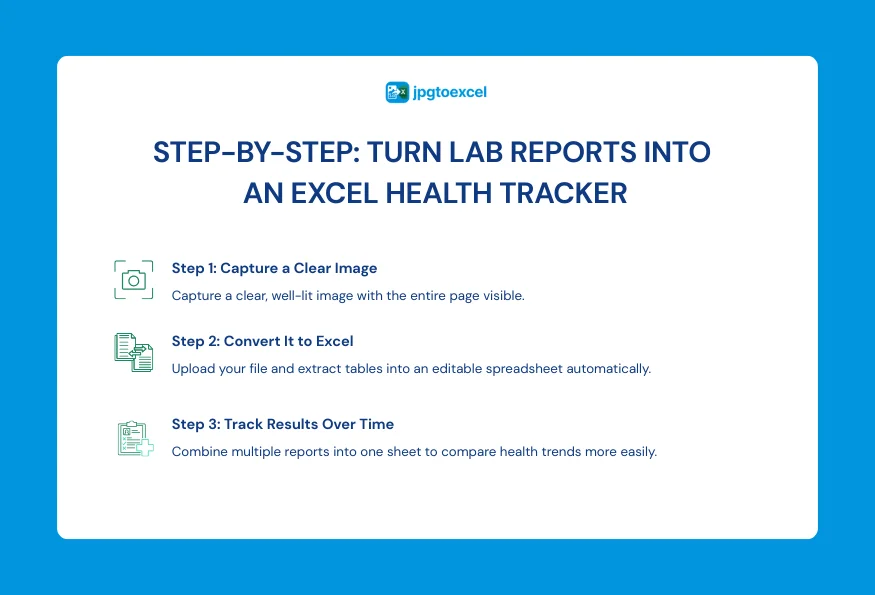
Step 1: Scan or Photograph the Report Clearly
Use good lighting and a flat surface, and make sure the full page is visible in the frame. A clear, well-lit photo from a phone works fine for most printed lab reports.
Step 2: Convert It to Excel
Upload the image to a free image-to-Excel converter and let it extract the table into an editable spreadsheet. For a full walkthrough of the process, this step-by-step guide to converting images to Excel covers it from upload to download.
Step 3: Build a Simple Tracker for Repeat Tests Over Time
Once you have a few reports converted, combine the results you care about most, cholesterol, blood sugar, blood pressure readings, or whatever you’re monitoring, into a single sheet with one row per test date. This turns a stack of separate documents into a single chart you can actually watch change over time, and it’s easy to share with a doctor at your next visit.
Privacy and Security: What to Look For in Any Medical OCR Tool
Since lab reports contain sensitive personal information, it’s worth understanding what security claims actually mean before trusting any tool with them.
Encryption and Data Retention Policies
Files should be encrypted while being uploaded and processed, and a trustworthy tool will clearly state how long files are kept, ideally only for as long as it takes to complete the conversion, with automatic deletion afterward.
HIPAA, GDPR, and BAAs: What These Terms Actually Mean
HIPAA is a US law governing how healthcare data is handled by covered entities and their business associates, and a BAA is the specific signed agreement that makes a vendor legally accountable for protecting that data under HIPAA. GDPR is the equivalent data protection regulation in the European Union. None of these apply automatically just because a company mentions them; they require formal certification, contracts, or audits, and it’s reasonable to ask any vendor for documentation rather than taking a website claim at face value.
Here’s a simple way to think about which category of tool fits which situation:
| Consideration | Personal-Use OCR Tool | Enterprise HIPAA-Compliant Platform |
| Best for | Individuals digitizing their own records | Clinics, hospitals, and labs handling patient data at scale |
| Compliance | General data protection practices | Signed BAA, formal HIPAA/GDPR compliance |
| Integration | Manual upload, spreadsheet output | Direct EHR/EMR system integration |
| Cost | Often free or low-cost | Enterprise pricing, contracts |
| Setup | None, use immediately | Onboarding, training data, IT involvement |
FAQs about lab report OCR
Is it safe to upload a lab report to an online OCR tool?
For personal use, it’s reasonably safe with a reputable tool that encrypts files and deletes them after processing, though you should always check a provider’s specific privacy policy first. For handling patient data on behalf of a clinic or hospital, a HIPAA-compliant platform with a signed BAA is required, not a general-purpose converter.
Can OCR read handwritten doctor’s notes accurately?
To some extent, but accuracy on handwriting is meaningfully lower than on printed text, and results vary a lot depending on handwriting clarity.
What’s the difference between general OCR and medical-grade OCR?
General OCR reads text and basic tables. Medical-grade OCR adds a layer of semantic understanding, trained specifically on lab report structures, that distinguishes test names, values, units, and reference ranges rather than treating the page as generic text.
Can I track my lab results over time in Excel?
Yes. Once individual reports are converted into spreadsheet form, combining the values you want to monitor into a single sheet with one row per date gives you an easy way to see trends across multiple visits.
Do hospitals need a different type of OCR than individuals?
Yes. Hospitals and clinics need systems with formal compliance certifications, EHR integration, and contractual data protection guarantees, whereas an individual digitizing their own results can typically safely use a general-purpose, free OCR tool.
Final Thoughts
Lab report OCR combines standard image processing with a layer of semantic understanding that separates patient details, test values, units, and reference ranges from each other.
For clinics and hospitals working with patient data at scale, that means investing in a properly certified, HIPAA-compliant platform with a signed BAA, not a general-purpose converter. For individuals who simply want to stop losing track of their own results across years of paper printouts, the fix is much simpler: turn each report into a spreadsheet the moment you get it, instead of letting another page pile up in a folder.
Ready to try it? Upload your next lab report and see it converted into an editable Excel file in seconds at jpgtoexcelconverter.com, free and with no signup required.
- Email: contact@jpgtoexcelconverter.com
- LinkedIn: https://www.linkedin.com/in/jpgtoexcelconverter/
- X: https://x.com/jtoexcelconvert