
 February 2, 2026
 11 min read
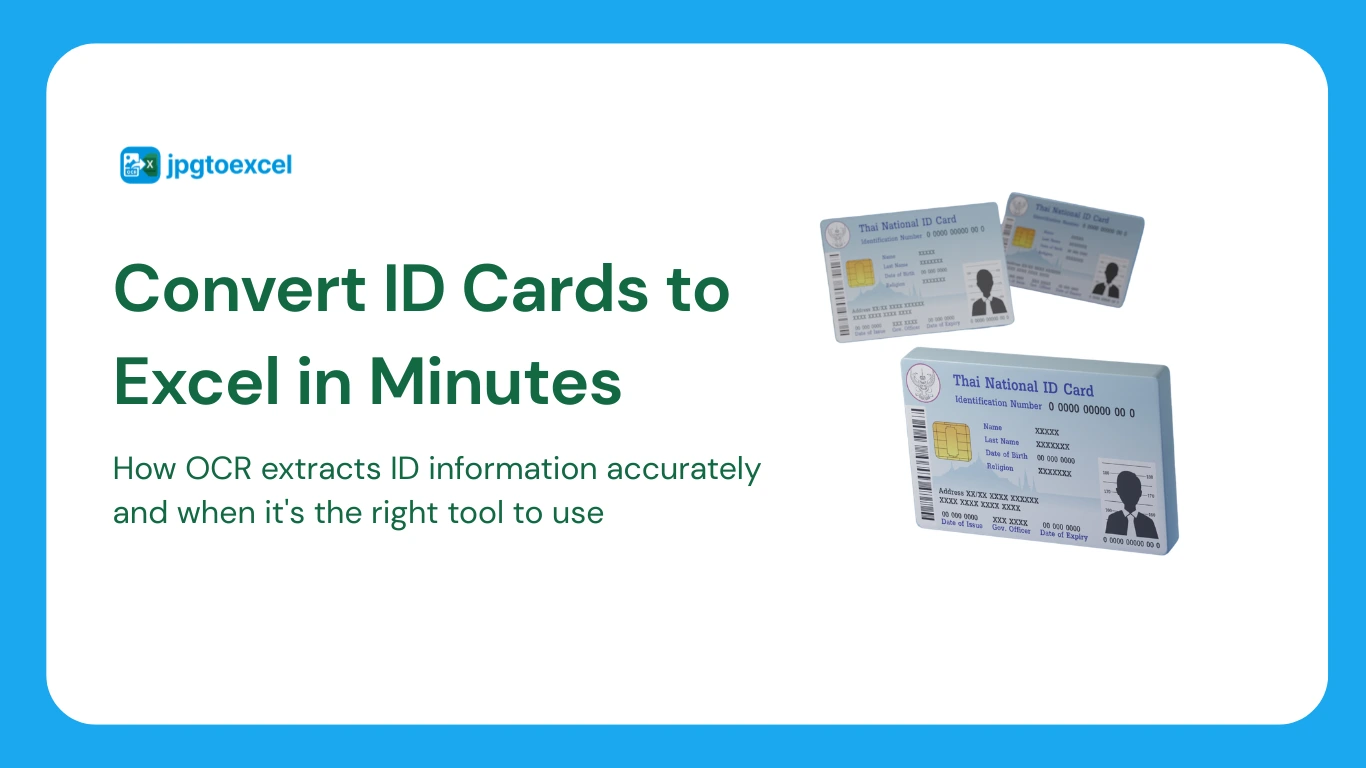
Convert ID card to Excel is what most people are actually trying to do when they’re staring down a stack of employee IDs during onboarding, a guest’s driver’s license at a hotel front desk, or their own national ID card that needs to go into a personal records spreadsheet. Typing every name, ID number, and date of birth by hand is slow and invites exactly the kind of small mistake, a transposed digit, a misspelled name, that turns into a bigger problem later.
This guide walks through how ID card OCR actually works, how to do the conversion step by step, and just as importantly, where a general-purpose tool like this is genuinely useful and where it isn’t.
What Does “Convert ID Card to Excel” Actually Mean?
At its core, converting an ID card to Excel means turning a photo or scan of a physical card into structured, editable spreadsheet data, rather than a flat image you can’t search, sort, or copy from.
Field Extraction vs. Simple Text Recognition
A basic OCR tool reads all the text on an ID card and returns it as one unstructured block, leaving you to manually figure out which line is the name and which is the ID number. Field extraction goes a step further: it recognizes the layout of the card and maps each piece of text to a specific label, name, ID number, date of birth, address, so it lands directly in the right column of your spreadsheet without extra sorting.
Common ID Types This Works For
General-purpose ID card OCR typically handles national identity cards (including Vietnam’s chip-based CCCD and older CMND formats), passports, and driver’s licenses, since these documents share a fairly predictable structure: a photo, a name field, a numeric identifier, and a few dates.
What This Tool Is and Isn’t
Before getting into the technical details, it’s worth being upfront about scope, since ID documents contain some of the most sensitive personal information a tool can process.
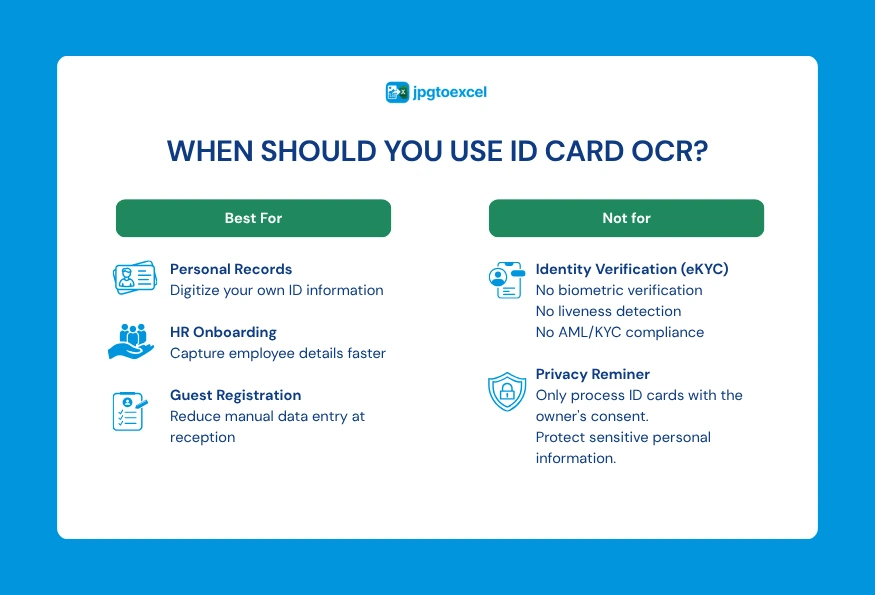
Good For: Personal Records, HR Onboarding, Small-Scale Digitization
A general OCR tool that converts images to Excel is well suited to digitizing your own ID for personal record-keeping, helping an HR team enter new hire details faster during onboarding, or letting a hotel front desk log a guest’s ID without retyping every field by hand.
Not a Replacement for eKYC or AML Compliance Systems
If your business is a bank, lender, or any regulated entity that needs to verify a customer’s identity as part of a Know Your Customer or anti-money-laundering process, that requires a certified eKYC platform with biometric verification, liveness detection, and fraud checks, backed by formal compliance agreements. A general-purpose OCR tool that extracts text into a spreadsheet does not perform identity verification, and no vendor should claim otherwise without documented certification to back it up.
Why ID Numbers Count as Sensitive Personal Data
National ID numbers, dates of birth, and addresses are generally treated as sensitive personal data under privacy regulations, including Vietnam’s Personal Data Protection Decree and similar laws elsewhere. That means consent matters, you should only digitize an ID card with the cardholder’s knowledge, and it’s worth checking any tool’s data handling practices before uploading a real document, not just assuming it’s fine because the upload button is free.
How ID Card OCR Works
Once scope is clear, the underlying process for reading an ID card follows a fairly consistent technical path.
Perspective Correction and Glare Removal
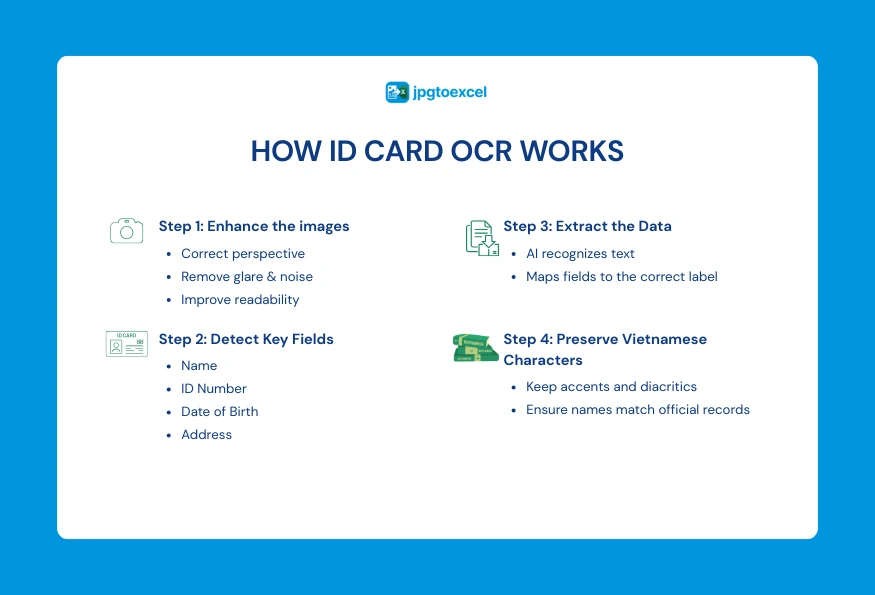
ID cards are often photographed at a slight angle, sometimes with glare from the card’s plastic surface or an overhead light. Before any text can be reliably read, the system corrects the perspective to flatten the image and reduces glare and noise so the characters stand out clearly against the background.
Field Extraction: Separating Name, ID Number, Address, and Dates
Once the image is clean, the system doesn’t just recognize characters, it maps recognized text to its position on the standard card layout, so a string of digits in the expected location is identified as the ID number rather than treated as random text alongside everything else on the card.
Handling Vietnamese Diacritics Correctly
This is a genuinely common failure point for global OCR tools. A name like “Nguyễn” or “Hoàng” can easily come out as “Nguyen” or “Hoang” if the underlying engine wasn’t trained to preserve Vietnamese tonal marks. A tool built with proper support for Vietnamese text output keeps every diacritic intact, which matters more than it might seem, since a name recorded without its correct accents may not match official records later.
Step-by-Step: Convert Your ID Card to Excel
Here’s the practical process from a photo in your hand to a usable spreadsheet.
Step 1: Capture a Clear Image
Place the card on a flat, neutral surface, avoid using flash since it tends to reflect off the plastic and obscure text, and make sure the entire card is visible in the frame with even lighting.
Step 2: Upload and Convert
Upload the image to a free image to Excel converter and let it detect the card’s fields automatically. For a full walkthrough of the upload-to-download process, this step-by-step guide to converting images to Excel covers it in detail.
Step 3: Review and Correct Low-Confidence Fields
Even a good OCR engine occasionally struggles with a specific character, mistaking a zero for the letter O, for example. Always review the extracted fields against the original image before relying on the data, especially for ID numbers where a single wrong digit matters.
Step 4: Export and Store Securely
Download the finished spreadsheet, and once it’s saved, delete any uploaded copies you no longer need from wherever they were stored, since a spreadsheet full of ID numbers deserves the same care as the physical documents it came from.
Common Use Cases of Converting ID Card to Excel
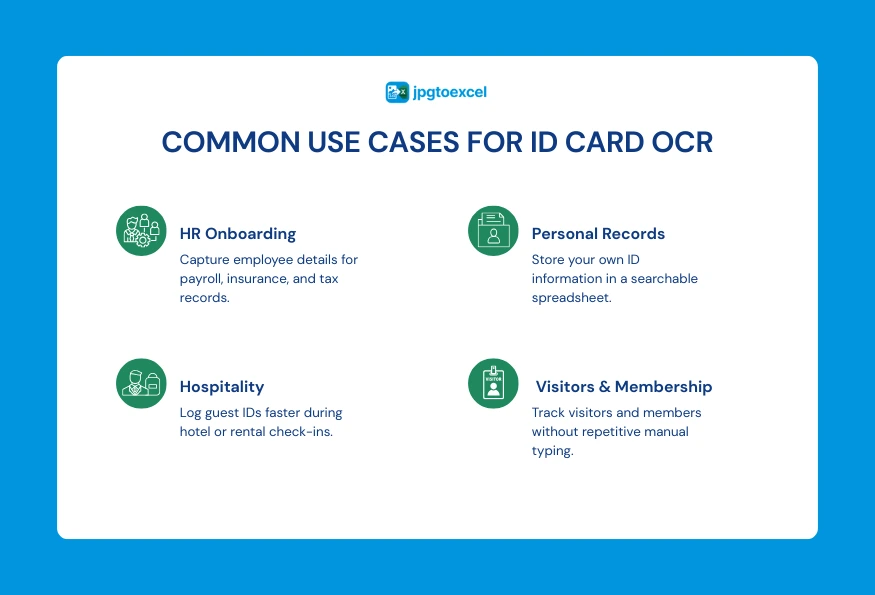
HR Onboarding and Employee Records
Companies hiring several people at once often need to log ID details for payroll, insurance, and tax setup. Converting each new hire’s ID card into a spreadsheet row is considerably faster than typing every field manually, and it reduces the kind of typo that causes downstream payroll issues.
Hospitality and Front-Desk Check-In
Hotels and car rental agencies regularly need to log a guest’s ID for their own records. Digitizing rather than photocopying reduces paper storage and makes searching past guest records easier.
Personal Record-Keeping
Individuals sometimes just want a backup of their own ID information in an organized format, for example when filling out other forms that require the same details repeatedly.
Events, Membership, and Visitor Logging
Conferences, gyms, and co-working spaces that need to log visitor or member ID details for access control often face the same repetitive data entry problem at a smaller scale. Converting each ID into a spreadsheet row on check-in is a quick way to keep an organized, searchable log without building a dedicated system for it.
Privacy and Legal Considerations When Digitizing ID Cards
Because ID documents carry sensitive personal information, it’s worth pausing on the legal and privacy side before treating this as a purely technical task.
Consent and Data Minimization
Only digitize an ID card with the knowledge and, where required, the explicit consent of the person it belongs to. It’s also good practice to collect only the fields you actually need rather than storing an entire scanned image indefinitely once the relevant data has been extracted.
What to Check Before Uploading Any ID Document Online
Before uploading a real ID card to any tool, check three things: whether the file is encrypted during upload and processing, whether the provider states a clear policy for deleting files after conversion, and whether there’s a real, readable privacy policy rather than a vague promise. If a tool can’t answer these clearly, that’s reason enough to hold off on uploading a real document.
Here’s a simple way to think about which category of tool fits your actual situation:
| Consideration | Personal / Small-Scale Use | Enterprise eKYC Platform |
| Best for | Individuals, HR onboarding, front-desk check-in | Banks, lenders, regulated financial services |
| Compliance | General data protection practices | Certified eKYC, AML/KYC compliance agreements |
| Verification | Extracts data only, no identity verification | Biometric checks, liveness detection, fraud screening |
| Cost | Often free or low-cost | Enterprise pricing, contracts |
| Setup | None, use immediately | Onboarding, integration, compliance review |
FAQs about Converting ID Card to Excel
Is it safe to convert my ID card using an online tool?
For personal or small-scale use, it’s reasonably safe with a reputable tool that encrypts files and deletes them after processing, though you should always check the specific privacy policy first rather than assuming.
Does this work with Vietnamese CCCD/CMND cards?
Yes, general-purpose ID card OCR tools that support Vietnamese text output can read both the newer chip-based CCCD and older CMND formats, provided the engine is built to preserve Vietnamese diacritics correctly.
Can OCR misread an ID number, and how do I catch it?
Yes, occasionally, particularly with similar-looking characters like zero and the letter O. Always compare extracted fields, especially ID numbers, against the original image before using the data for anything important.
Is this the same as an eKYC verification system?
No. An OCR tool extracts text into structured data; it does not verify that the ID is genuine, check it against a database, or confirm the identity of the person presenting it. eKYC systems are a separate, certified category built specifically for that purpose.
Can I convert multiple ID cards at once?
Many OCR tools support batch uploads, letting you process several ID cards in one session rather than one at a time, which is particularly useful during bulk onboarding or when logging IDs for a large group event.
What happens if a field is left blank or unreadable?
A well-built extraction tool will flag fields it couldn’t confidently read rather than guessing and leaving the cell blank, which is exactly why reviewing the output before use matters more for ID documents than for less sensitive data.
Final Thoughts
Converting an ID card to Excel comes down to a fairly simple process: capture a clear image, let field extraction separate the name, ID number, and other details into the right columns, and review the result before trusting it, especially for numbers where a single misread digit matters.
It’s a genuinely useful shortcut for HR onboarding, front-desk check-in, and personal record-keeping, but it’s worth remembering it stops at data extraction, not identity verification, and that ID numbers deserve the same privacy care as the physical card itself.
If you’re ready to try it, upload your first ID card and see it converted into an editable spreadsheet in seconds at jpgtoexcelconverter.com, free and with no signup required.
- Email: contact@jpgtoexcelconverter.com
- LinkedIn: https://www.linkedin.com/in/jpgtoexcelconverter/
- X: https://x.com/jtoexcelconvert


