
 December 1, 2025
 11 min read
Best OCR software 2026 technology is the ultimate key to achieving a truly paperless office. In the modern business world, companies are no longer just looking for simple text recognition; they need intelligent document processing that understands the context of every invoice and receipt. Whether you are an accountant managing thousands of spreadsheets or a developer building custom apps, finding the right tool is essential for speed and accuracy.
In this guide, we will review why Best OCR Software 2026 marks a significant jump in quality compared to previous years. We will look at industry titans like ABBYY and Adobe, while also exploring new AI-driven innovators that are reshaping how we convert JPG to Excel.
Defining “Best” in 2026: The New Evaluation Standards
Selecting the best OCR software 2026 provides is no longer about picking the most famous brand. In the current market, document complexity has increased, and our expectations for data integrity have soared. To find the right tool, you must evaluate it based on three critical pillars:
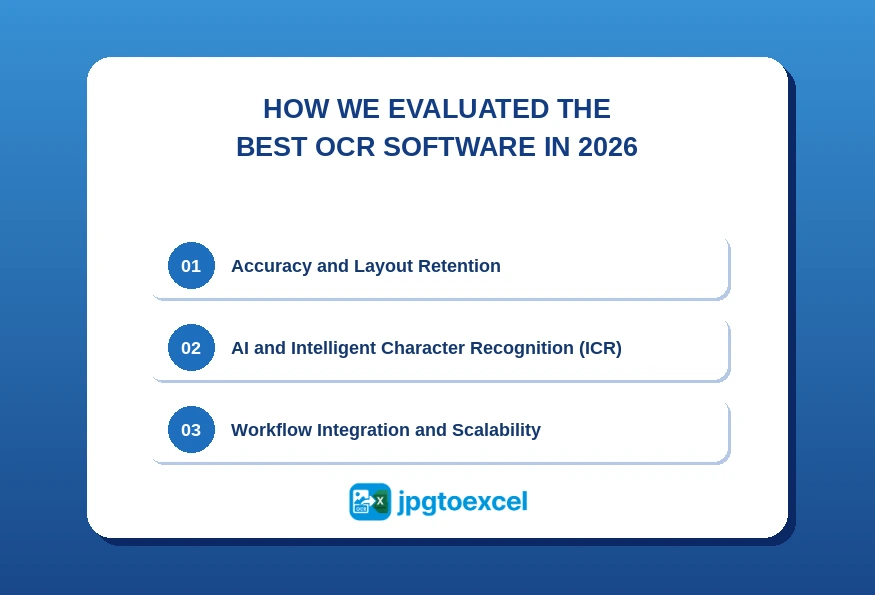
Accuracy and Layout Retention
An OCR accuracy test measures how precisely a tool transcribes characters from an image or scanned file into editable text. But raw character accuracy is only half the story.
For business use, layout retention matters just as much. A tool that transcribes text correctly but scrambles your table structure forces hours of manual reformatting inside Excel. The best OCR software in 2026 must handle multi-column layouts, nested tables, merged cells, mixed fonts, and low-resolution scans without breaking the grid.
In our testing, we specifically stressed each tool with real-world financial documents, multi-page invoices, and image-based PDFs that had imperfect source scan quality.
AI and Intelligent Character Recognition (ICR)
Intelligent Character Recognition (ICR) is a subset of OCR technology that uses machine learning to recognize and interpret handwritten text, cursive script, and non-standard character styles. While traditional OCR is trained on printed fonts, ICR learns from human writing patterns, making it essential for processing forms, contracts, and documents that mix typed and handwritten content.
Legacy tools fail on this dimension regularly. A system that reads printed invoices at 99% accuracy can drop to 60-70% accuracy the moment a handwritten annotation appears in the margin. Any tool calling itself best-in-class for 2026 must handle both.
Workflow Integration and Scalability
An OCR tool that cannot connect to your existing systems creates a new bottleneck instead of removing one.
Key integration signals to look for: native API availability, pre-built connectors for Zapier and Power Automate, direct compatibility with accounting platforms like QuickBooks or SAP, and cloud-based processing that scales with document volume. A desktop-only tool may serve an individual user, but will not support a team processing thousands of documents per month.
Quick Comparison: Best OCR Software 2026 at a Glance
| Tool | Best For | Accuracy | Starting Price | Free Trial | Excel Export |
| jpgtoexcelconverter.com | Instant JPG or PDF to Excel | 98.5% | Free tier available | Yes | Yes |
| ABBYY FineReader PDF | Maximum accuracy | 99.8% | ~$19/month | Yes | Yes |
| Adobe Acrobat Pro DC | Adobe ecosystem users | 98.5% | ~$23/month | Yes | Yes |
| Kofax Power PDF | Enterprise compliance | 98.2% | ~$179 perpetual | No | Yes |
| Rossum | Invoice and AP automation | 98.9% | Custom quote | Yes | Yes |
| Google Cloud Vision API | Developer-scale projects | 99.1% | Pay-per-use | Yes (free tier) | Via API |
| AWS Textract | Amazon infrastructure users | 98.7% | Pay-per-use | Yes (free tier) | Via API |
| Nanonets | Custom document training | 97.5%+ | ~$499/month | Yes | Yes |
| Microsoft Azure AI Doc Intelligence | Microsoft 365 users | 98.6% | Pay-per-use | Yes | Yes |
| Tesseract (open-source) | Developer experimentation | 85-92% | Free | N/A | Via code |
Accuracy figures reflect performance on standard structured documents. Results vary with scan quality and document complexity.
The 10 tools above cover a wide range of use cases, price points, and technical requirements. To make this guide easier to navigate, the detailed reviews below are organized into three categories:
- Best OCR for Excel Conversion covers tools built specifically for clean, structured spreadsheet output, starting with jpgtoexcelconverter.com for instant, no-setup conversion, and Microsoft Azure AI Document Intelligence for teams inside the Microsoft 365 ecosystem.
- Industry Titans covers the established, full-featured platforms that have set the benchmark for accuracy and reliability – ABBYY FineReader PDF, Adobe Acrobat Pro DC, and Kofax Power PDF.
- AI-Native Innovators covers tools built from the ground up on machine learning, designed for intelligent document processing at scale – Rossum, Google Cloud Vision API, AWS Textract, and Nanonets.
If you already know your category, jump straight to it. If you are unsure, the decision framework at the end of this guide will point you in the right direction in under two minutes.
Best OCR Software for Converting Images and PDFs Directly to Excel
Not all OCR tools are built equal when the output format is Excel. To convert a JPG or PDF to Excel accurately, a tool must detect table boundaries correctly, preserve row and column alignment across merged cells, handle multi-page tables that span document breaks, and output data into the correct cell structure rather than dumping everything into a single column. The difference between a tool that “supports Excel export” and one that is genuinely Excel-ready shows up the moment you open the file. This section covers the two tools that do it best.
jpgtoexcelconverter.com: Best for Instant, No-Setup Excel Conversion
Best for: Individuals, small business owners, and office managers who need to move data from an image or PDF into a spreadsheet immediately, without installing software or navigating enterprise pricing.
jpgtoexcelconverter.com is purpose-built for one job: converting image-based files to clean, structured Excel output. Its AI engine is specifically optimized for table detection and cell-level data extraction, which means the output opens correctly in Excel rather than requiring reformatting.
The platform is browser-based. There is nothing to install, no account required for basic use, and the conversion process takes under 60 seconds for standard documents.
Strengths:
- No installation, no account required: paste link or upload and convert
- Optimized specifically for table-heavy documents and financial data
- Clean .xlsx output that maintains column and row structure
- Free tier available for immediate testing
Weaknesses:
- Not designed for enterprise-scale batch processing at high volume
- Advanced customization options are limited compared to API-based tools
Pricing: Free tier available; paid plans for higher volume.
Verdict: For anyone who needs to convert a JPG or PDF to Excel right now without a procurement process, jpgtoexcelconverter.com is the fastest path from image to spreadsheet.
Microsoft Azure AI Document Intelligence: Best for Microsoft 365 Users
Best for: Organizations whose work lives inside Microsoft 365 and need OCR that connects directly to Excel, Word, SharePoint, and Teams.
Azure AI Document Intelligence provides pre-built models for invoices, receipts, and identity documents alongside a custom model training capability. Its native integration with the Microsoft ecosystem means extracted data flows directly into Excel workbooks, SharePoint lists, and Power Automate workflows without additional middleware.
Strengths:
- Native integration with Microsoft 365, Excel, and Power Automate
- Pre-built invoice and receipt models ready to use immediately
- Scales with Azure infrastructure
- Familiar environment for Microsoft-heavy organizations
Weaknesses:
- Full feature access requires an Azure subscription
- Setup requires familiarity with the Azure portal
- Less cost-effective for low-volume or occasional use
Pricing: Pay-per-use, with free tier up to 500 pages per month.
Verdict: The natural choice for any organization already standardized on Microsoft 365 that wants OCR built into existing workflows rather than bolted on.
Industry Titans: Established OCR Leaders Worth Your Budget
These platforms have been the benchmark for professional OCR for years. They earn their place on this list through consistent performance, deep feature sets, and enterprise-grade reliability.
ABBYY FineReader PDF: Best for Maximum Accuracy
Best for: Finance teams, legal departments, and any organization where a single transcription error carries real consequences.
ABBYY FineReader PDF consistently scores the highest in independent OCR accuracy tests, reaching 99.8% on standard structured documents and maintaining strong performance even on degraded or low-resolution scans. Its proprietary neural network architecture is built specifically for complex table reconstruction, which matters enormously when your output needs to be clean inside Excel.
Support spans over 200 recognition languages, making it the go-to choice for multinational organizations processing documents in multiple scripts.
Strengths:
- Highest accuracy rate of any desktop OCR platform tested
- Reconstructs multi-column layouts and nested tables without structural errors
- Handles mixed-language documents natively
- Strong PDF editing suite alongside OCR
Weaknesses:
- Higher price point than most alternatives
- Steeper learning curve for non-technical users
- Desktop-first architecture limits cloud scalability
Pricing: Starting from approximately $19/month (subscription) or $199 one-time purchase, depending on edition.
Verdict: If accuracy is the primary requirement and budget is not the constraint, ABBYY FineReader PDF is the clear leader in 2026.
Adobe Acrobat Pro DC: Best for Teams Already in the Adobe Ecosystem
Best for: Administrative teams and knowledge workers who already operate inside Adobe Creative Cloud or use Adobe Sign for contracts.
Adobe Acrobat Pro DC is not the most specialized OCR tool on this list, but it may be the most practical for the widest audience. Its strength lies in the seamless connection between OCR output and the broader Adobe ecosystem: scanned PDFs become editable documents that move naturally into review, signature, and distribution workflows.
For teams that need OCR as one capability among many rather than as a dedicated processing pipeline, Acrobat Pro DC eliminates the need for a separate tool.
Strengths:
- Familiar interface reduces training time
- Deep integration with Adobe Sign and Creative Cloud
- Reliable performance on standard office documents
- Strong PDF editing and annotation tools
Weaknesses:
- Expensive relative to its OCR-specific capabilities
- Excel export is functional but not optimized for complex table structures
- Not suitable for high-volume automated processing
Pricing: Starting from approximately $23/month as part of the Acrobat Pro plan.
Verdict: The right choice if your team is already paying for Adobe licenses and needs OCR as part of a document management workflow, not as a standalone processing engine.
Kofax Power PDF: Best for Enterprise Security and Compliance
Best for: Legal firms, healthcare organizations, and government agencies that handle sensitive records under strict regulatory requirements.
Kofax Power PDF separates itself from the competition through its focus on data security and regulatory compliance. Advanced redaction tools allow teams to permanently remove sensitive information before sharing documents. The platform is built with HIPAA and GDPR workflows in mind, and its support for perpetual licensing gives CFOs a predictable cost structure that subscription models cannot offer.
Strengths:
- Advanced redaction and document security controls
- Perpetual licensing option preferred by procurement teams
- Strong performance on regulated document types
- Suitable for air-gapped or strict IT environments
Weaknesses:
- Interface design lags behind modern alternatives
- Less suited for SMB users who need a simple, fast experience
- Integration options are more limited than cloud-native tools
Pricing: Perpetual license starting from approximately $179 per seat.
Verdict: The default choice for enterprises where compliance and data control outweigh processing speed and modern UI.
AI-Native Innovators Redefining Intelligent Document Processing
This group of tools represents the frontier of what OCR software can do in 2026. They do not just read documents. They understand them.
Rossum: Best for Automated Invoice and Accounts Payable Processing
Best for: Finance teams processing high volumes of vendor invoices who need to eliminate manual data entry from accounts payable entirely.
Cognitive data capture is the ability of an AI system to understand the semantic meaning of document fields, not just their position on the page. Rossum applies this to invoice processing: its model identifies fields like “Total Due,” “Invoice Number,” and “Tax ID” regardless of where the vendor has placed them, without requiring a custom template for each supplier.
This eliminates the biggest friction point in traditional OCR for finance: maintaining a library of templates as vendors change their invoice formats.
Strengths:
- Zero-template invoice reading adapts to any vendor format
- Built-in validation logic catches data errors before they enter your system
- Deep integration with AP automation platforms and ERP systems
- Improves accuracy over time through continuous learning
Weaknesses:
- Narrow focus: purpose-built for finance, not a general-purpose OCR tool
- Enterprise pricing is not accessible for small teams
- Requires onboarding and setup time to reach peak performance
Pricing: Custom quote based on volume.
Verdict: For any organization spending significant time on manual invoice processing, Rossum offers a faster path to full AP automation than any general-purpose OCR tool.
Google Cloud Vision API: Best for Developers Needing Infinite Scale
Best for: Engineering teams building products, internal tools, or data pipelines that require OCR as a programmable component.
Google Cloud Vision API gives developers access to the same machine learning infrastructure that powers Google’s own document understanding, trained on a dataset that dwarfs any proprietary alternative. The result is exceptional raw accuracy across diverse document types, languages, and image conditions.
The trade-off is that there is no user interface. Every interaction happens through API calls, which means this tool belongs in a developer’s hands, not an accountant’s.
Strengths:
- Best-in-class ML training data behind the recognition engine
- Pay-per-use pricing scales from prototype to enterprise volume
- Supports 60+ languages
- Integrates with the full Google Cloud data pipeline
Weaknesses:
- No UI: requires developer implementation
- Excel output requires additional processing logic to structure data correctly
- Costs can escalate unpredictably at very high volume
Pricing: Free tier up to 1,000 units per month; approximately $1.50 per 1,000 pages beyond that.
Verdict: The right foundation for any team building a custom document processing application in 2026.
AWS Textract: Best for Teams Already on Amazon Infrastructure
Best for: Organizations whose data infrastructure runs on AWS and needs OCR that connects natively to S3, Lambda, and the broader Amazon ecosystem.
AWS Textract goes beyond basic text extraction. Its specialized models are trained specifically to detect and extract structured form fields and table data, not just raw text, which makes it notably stronger than general-purpose vision APIs when the target output is a structured spreadsheet.
Strengths:
- Native integration with S3, Lambda, and other AWS services
- Specialized table and form extraction outperforms generic vision APIs
- Scales automatically with processing demand
- Strong compliance certifications for regulated industries
Weaknesses:
- Requires an AWS account and technical configuration
- Table output requires post-processing to format correctly for Excel
- Less cost-effective for low-volume use cases
Pricing: Pay-per-use, starting from approximately $1.50 per 1,000 pages for text detection.
Verdict: If your infrastructure lives on AWS, Textract is the obvious integration choice over a competing cloud provider’s API.
Nanonets: Best for Custom Document Types Without a Developer
Best for: Operations teams dealing with non-standard, niche business forms that general OCR tools consistently misread.
Nanonets occupies a unique position: it gives non-technical users the ability to train their own AI model on their specific document types. Upload 50-100 examples of a custom form, label the fields you care about, and Nanonets learns to extract them accurately, with no code required.
This makes it the only tool in this category that directly addresses the problem of unusual, proprietary document formats that every industry has, and no general tool handles well.
Strengths:
- No-code model training accessible to operations staff
- Handles document types that general OCR tools fail on
- Solid pre-built models for common document categories (receipts, purchase orders)
- Workflow automation is built into the platform
Weaknesses:
- Accuracy is ceiling-limited by the quality of your training data
- More expensive than general-purpose tools at comparable volume
- Longer time-to-value compared to out-of-the-box solutions
Pricing: Starting from approximately $499/month.
Verdict: Worth the investment for any team whose document processing is failing because their forms do not look like anyone else’s.
Emerging Trends Shaping OCR Software in 2026 and Beyond
Two developments are redefining what businesses can expect from document processing platforms in 2026.
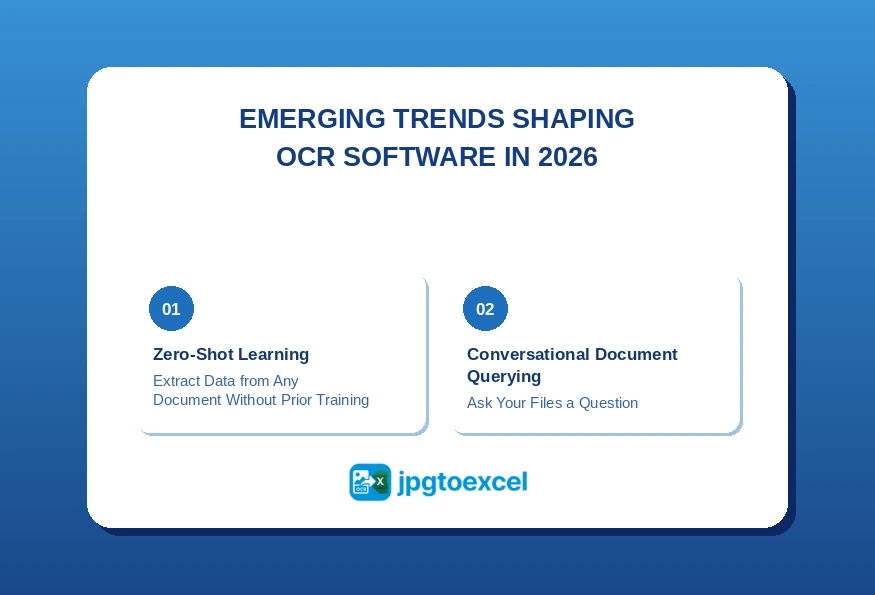
Zero-Shot Learning: Extract Data from Any Document Without Prior Training
Zero-shot learning in OCR refers to the ability of an AI model to accurately extract data from a document type it has never been trained on, without requiring labeled examples or configuration before deployment.
This is a significant shift from earlier AI approaches, which required training datasets of hundreds or thousands of labeled documents before reaching reliable accuracy on a new document category.
In practice, zero-shot capability means a company entering a new market, processing a new vendor’s documents, or handling a regulatory form they have never seen before can deploy OCR on day one without a weeks-long training phase. Several tools in this guide are already shipping zero-shot models as a core feature, and the gap between trained and untrained accuracy is narrowing rapidly.
Conversational Document Querying: Ask Your Files a Question
The most visible trend in 2026 is the merger of OCR extraction with ChatGPT-style natural language interfaces. Instead of searching a database of extracted documents, users can now ask direct questions in plain English.
A finance manager can type: “Show me all invoices from suppliers in Texas that are more than 30 days overdue and over $2,000.” The system parses the extracted data and returns a filtered list with no formula writing, no pivot tables, and no manual filtering required.
Rossum, Nanonets, and several enterprise IDP platforms are already shipping early versions of this capability. Within the next 12-18 months, conversational querying is expected to become a standard feature rather than a differentiator.
How to Choose the Right OCR Software for Your Workflow
The best OCR software in 2026 for your organization depends on your document volume, technical resources, existing software stack, and tolerance for setup complexity. Use this decision framework to narrow down your options quickly.
| Your Situation | Recommended Tool |
| Processing high volumes of vendor invoices | Rossum or Nanonets |
| Need the highest possible accuracy for legal or medical records | ABBYY FineReader PDF |
| Building a product or custom application | Google Cloud Vision API or AWS Textract |
| Already using Adobe tools and need basic OCR | Adobe Acrobat Pro DC |
| Already running Microsoft 365 infrastructure | Azure AI Document Intelligence |
| Enterprise security and compliance requirements | Kofax Power PDF |
| Non-standard or proprietary document formats | Nanonets |
| Convert JPG or PDF to Excel now, zero setup | jpgtoexcelconverter.com |
If you are still unsure after reviewing this table, start with your output format. If the answer is always Excel, the shortlist becomes jpgtoexcelconverter.com, Azure AI Document Intelligence, and ABBYY FineReader PDF. Run a free trial on all three with a real document from your workflow, and the right choice will become clear within 20 minutes.
Conclusion
The best OCR software in 2026 is not the one with the most features. It is the one that fits cleanly into how your team already works.
For organizations where accuracy is non-negotiable, ABBYY FineReader PDF remains the benchmark. For finance teams drowning in invoice processing, Rossum offers the clearest path to full automation. Developers building scalable applications should evaluate Google Cloud Vision API and AWS Textract based on their existing infrastructure. Organizations standardized on Microsoft 365 will find the shortest path through Azure AI Document Intelligence.
And for anyone who needs to convert an image or scanned PDF into a working Excel spreadsheet right now, without a procurement process, an IT ticket, or a learning curve, the answer is already one click away.
The era of manual data entry is over. The best OCR software in 2026 gives every organization access to AI-powered document processing that would have required an enterprise contract three years ago.
Ready to stop entering data by hand?
Run your first free conversion at jpgtoexcelconverter.com and see what AI-powered OCR delivers in under 60 seconds.
FAQ: Best OCR Software 2026
What is the best OCR software in 2026?
The best OCR software in 2026 depends on your use case. ABBYY FineReader PDF leads for raw accuracy on complex documents. Rossum is the top choice for automated invoice processing at scale. For individuals and small teams who need to convert a JPG or PDF to Excel instantly without setup, jpgtoexcelconverter.com delivers the fastest and most accessible experience.
What is the difference between OCR and ICR?
OCR (Optical Character Recognition) reads and converts printed text from images into editable digital text. ICR (Intelligent Character Recognition) is an AI-powered extension of OCR that recognizes handwritten text, cursive script, and non-standard character styles. ICR is essential for processing business documents that contain handwritten annotations, form fields, or signatures alongside printed content.
Can AI completely replace traditional OCR software?
AI has significantly improved OCR accuracy and reduced the need for manual configuration, but full replacement of traditional OCR is still limited by edge cases. Highly degraded scans, unusual fonts, and complex document structures still challenge even the best AI models. In 2026, AI enhances OCR rather than replaces it. The two work together to deliver results that neither achieves alone.
Which OCR tool is most accurate for Excel tables and spreadsheets?
For Excel-specific output, ABBYY FineReader PDF delivers the most accurate table reconstruction from complex documents. For fast, no-setup table-to-Excel conversion from JPGs or PDFs, jpgtoexcelconverter.com is optimized specifically for this use case. AWS Textract leads among API-based options when table extraction is the primary requirement inside a developer environment.
Is there a free OCR software option worth using in 2026?
Yes. Google Cloud Vision API offers a free tier of 1,000 pages per month, which is sufficient for light business use. jpgtoexcelconverter.com has a free plan for individual conversions with no account required. Tesseract is a fully free open-source OCR engine suitable for developers who want to build custom solutions, though its accuracy on complex documents (85-92%) is lower than commercial alternatives.


