
 December 13, 2025
 11 min read
Batch OCR is the most effective solution for businesses and organizations facing the daunting challenge of a “document crisis.” Imagine having a mountain of physical paper files on your desk and thousands of stagnant, unsearchable scanned images in your digital folders. Manually typing this information into your system is not just inefficient—it is practically impossible. In a fast-paced business environment, you simply do not have the years required to finish that work by hand. This bottleneck of high volume data entry can stall your growth and lead to expensive administrative overhead.
The definitive solution to this problem is Batch OCR (Optical Character Recognition). Unlike standard, manual OCR which handles one document at a time, Batch OCR is the automated process of converting large volumes of files simultaneously. It transforms “dumb” static images into “smart” searchable text, allowing your computer to recognize and index every word across thousands of files. In this comprehensive guide, we will explore the architecture of bulk processing, explore desktop and cloud-based solutions, and show you how to set up a “Hot Folder” system to automate ocr processing completely.
Why Batch OCR is Different from Single-File OCR
To choose the right tools, you must first understand the fundamental difference between standard OCR and its high-volume counterpart. Standard OCR tools are excellent for a single letter or a short PDF; you scan a page, wait for the processing, and copy the text. However, this linear approach fails when you are dealing with an entire company archive or a month’s worth of invoices.
The Architecture of Multi-Threading
The core difference lies in the technical architecture. Standard OCR is usually linear—it finishes one page before starting the next. Batch OCR, however, utilizes multi-threading. This is like upgrading from a single-lane road to a multi-lane highway. The software utilizes all the cores of your computer’s processor to handle multiple files at the same time. This drastically reduces the total time needed for high volume data entry tasks, turning a week-long manual project into a 10-minute automated process.
Transforming Dead Archives into Live Databases
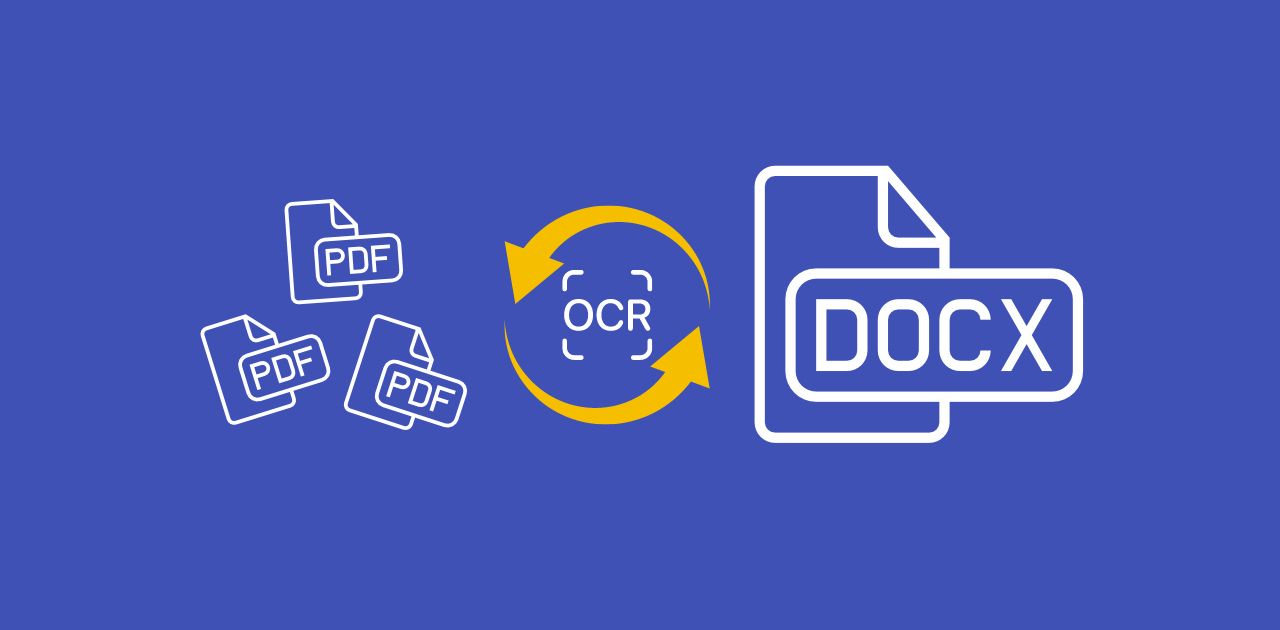
A folder full of JPEGs or flat PDFs is essentially a “Dead Archive.” You cannot search for a specific client’s name or a part number hidden within those pixels. By applying batch pdf conversion with OCR, you turn this archive into a “Live Database.” Every word in every file becomes searchable and indexable. This allows you to perform bulk image to excel analysis, unlocking the hidden value of your historical records for better business intelligence.
Method 1: Desktop Software Solutions for Maximum Security
For organizations dealing with highly sensitive information—such as law firms, medical clinics, or government agencies—processing files locally is often the best strategy. Desktop-based Batch OCR software runs entirely on your local machine or office network, meaning your data never has to travel across the internet.
Professional Tools: ABBYY FineReader and Adobe Acrobat Pro
ABBYY FineReader is widely considered the industry leader for Batch OCR accuracy. It allows you to set up “Batch Tasks” where you define a source folder and an output destination. The software then runs in the background, converting every file it finds. Adobe Acrobat Pro offers similar automation through its “Action Wizard,” which is particularly effective for batch pdf conversion. You can combine, split, and OCR hundreds of documents with a single click, maintaining a clean and professional digital filing system.
Open-Source Efficiency: NAPS2
If you are operating on a limited budget, NAPS2 (Not Another PDF Scanner 2) is a fantastic open-source alternative. While it lacks the “bells and whistles” of expensive paid suites, it supports the Tesseract engine for reliable Batch OCR. It allows small teams to import a hundred images at once and save them as searchable PDFs, making it an excellent entry point for those looking to avoid high subscription costs.
Method 2: Cloud & API Solutions for Infinite Scalability
When the volume of documents reaches the millions, a standard desktop computer will eventually hit a performance wall. This is where cloud-based Batch OCR and APIs become essential. Cloud platforms offer infinite scalability and high-speed processing power that a local machine simply cannot match.
Developer-Friendly APIs: Google Cloud Vision and Amazon Textract
For companies with developer teams, integrating a Batch OCR API is the most powerful way to automate ocr processing. Google Cloud Vision is world-class at reading both printed and handwritten text across diverse languages. Amazon Textract goes even further by understanding the “logic” of a page; it identifies tables and forms, making it the perfect tool for bulk image to excel tasks. Developers can build these APIs directly into their own internal apps, creating a seamless, invisible workflow for their staff.
User-Friendly SaaS: Docparser and Nanonets
You do not need to be a coder to leverage the cloud. SaaS (Software as a Service) platforms like Docparser are designed for business users who need to extract specific data fields from invoices or bills of lading. These platforms learn from your documents over time, getting smarter and more accurate with every batch. They can automatically perform bulk image to excel exports, saving your accounting team hours of manual spreadsheet work every week.
The “Hot Folder” Workflow: Achieving Zero-Touch Automation
The ultimate goal of document digitization is a hands-off, “zero-touch” workflow. This is achieved through a “Hot Folder” or “Watched Folder” system.
How a Watched Folder Works
A Watched Folder is a specific directory on your computer or server that the Batch OCR software monitors 24/7. The moment a new file lands in “Folder A” (perhaps sent there by a network scanner), the software wakes up and begins the Batch OCR process. Once finished, it moves the searchable version of the file to “Folder B” and archives the original. This creates a magic sorting machine where no manual intervention is required.
Advanced Scripts with Zapier and Power Automate
By using automation scripts like Zapier or Microsoft Power Automate, you can connect your storage to your Batch OCR engine. For example, every time an email attachment is saved to your Dropbox, it can trigger an API to automate ocr processing and save the extracted data directly into a Google Sheet. This level of connectivity turns your document flow into a high-speed digital highway.
Pre-Processing and Post-Processing: Ensuring Accuracy
Running a Batch OCR on 10,000 files is only useful if the results are accurate. Garbage in equals garbage out. To ensure high volume data entry quality, you must prioritize pre-processing.
-
Deskewing: This straightens crooked scans, making it easier for the engine to read text lines.
-
Binarization: This turns grey, messy images into high-contrast black and white, separating text from background noise.
-
Despeckling: This removes digital “dust” and dots that could be mistaken for punctuation marks.
After the processing is complete, you need a validation step. Professional Batch OCR tools provide a “Confidence Score” for every word. If a score is low (perhaps due to a blurry image), the file is flagged for human review. This ensures that your final database remains clean and reliable.
Why jpgtoexcelconverter.com is The Right Solution For You?
Choosing between complex enterprise software and expensive cloud APIs can be a difficult decision for many business owners. At jpgtoexcelconverter.com, we provide the perfect middle ground: professional, high-precision Batch OCR without the technical headaches.
Our platform is engineered to handle high volume data entry with ease. We specialize in bulk image to excel conversions, ensuring that your table structures are preserved with 99.9% accuracy. Whether you need a searchable archive for legal compliance or a fast way to automate ocr processing for your invoices, we provide the speed and reliability your business demands. Our batch pdf conversion tool is designed for speed, allowing you to process thousands of files while you focus on growth.
Stop wasting your time on manual data entry. Let jpgtoexcelconverter.com handle the heavy lifting of digitization for you. Experience the power of Batch OCR today and turn your paper mountains into a strategic digital advantage.


