
 March 25, 2026
 11 min read
JPG to Excel Converter: The Best Online Tools to Turn Images into Actionable Data
A JPG to Excel converter is a software tool that uses Optical Character Recognition (OCR) technology to scan an image file, detect text and table structures, and export the data into an editable .xlsx spreadsheet. The best converters process a standard table in under 30 seconds, eliminating the need for manual data entry entirely.
Picture this: a finance assistant spends two hours typing figures from 20 printed invoices into a spreadsheet, only to discover three data entry errors that throw off the monthly report. That scenario plays out in offices every day. A reliable JPG to Excel converter eliminates that risk at the source.
This guide reviews the top 5 tools available in 2025, explains how the technology works, and gives you a repeatable workflow to hit near-perfect conversion accuracy every time.
How Does Image-to-Excel OCR Technology Work?
Understanding the mechanics helps you choose the right tool and get better results from whichever platform you use.
What Is Optical Character Recognition (OCR)?
Optical Character Recognition (OCR) is a technology that analyzes the visual patterns in an image, identifies individual characters and symbols, and converts them into machine-readable digital text. Modern OCR engines go beyond simple character matching: they also detect spatial relationships between cells, columns, and rows to reconstruct the original table structure inside a spreadsheet.
Early OCR systems read plain text in a single line and failed completely on multi-column tables. Today’s AI-powered engines interpret layout geometry, making them capable of handling dense financial tables, rotated photos, and documents with mixed fonts.
Why AI-Powered OCR Outperforms Traditional Methods
Traditional OCR produced error rates of 5-15% on complex tables, according to benchmarks published by the Document Management Alliance. AI-driven OCR engines have pushed that error rate below 1% on clean, well-lit images.
The key difference is machine learning. Each time the model processes a new image, it refines its understanding of how humans format tables, invoices, and reports. This means a modern image to Excel converter does not just read text. It understands context, distinguishing between a column header and a data row, or recognizing that “1,200.00” is a currency value rather than two separate numbers.
Manual data entry carries an industry-average error rate of 1% per 300 keystrokes, which translates to roughly 400 errors per 100,000 characters entered. For a business processing 50 invoices a day, that is a compounding accuracy problem that OCR eliminates at the root.
What File Types and Table Formats Can Be Converted?
Most quality converters handle JPG, PNG, TIFF, and scanned PDF files. The table formats that convert cleanly include:
- Standard printed tables with visible borders
- Financial statements and bank records
- Utility bills and invoices with itemized rows
- Screenshots of digital spreadsheets
Limitations worth knowing: handwritten tables produce higher error rates, typically 5-10%, even with advanced AI. Images captured at angles greater than 15 degrees also reduce accuracy. The best tools include a deskew function that corrects tilt automatically, but it is not universal.
Top 5 JPG to Excel Converters: Side-by-Side Comparison
| Tool | Accuracy | Free Tier | Batch Processing | Privacy Policy | Best For |
| jpgtoexcelconverter | Excellent | Yes, no login | Yes | Zero-retention SSL | Speed + accuracy |
| Adobe Acrobat Online | Excellent | Limited | Yes | Enterprise-grade | Business reports |
| Microsoft 365 Mobile | Very Good | Yes (account required) | No | Microsoft standard | Field scanning |
| Online2PDF | Good | Yes, no login | Yes (up to 20 files) | Standard | Students, small offices |
| Nanonets | Excellent | Limited free tier | Yes, high volume | Enterprise-grade | Business automation |
1. jpgtoexcelconverter – Best for Speed and Accuracy
jpgtoexcelconverter.com is purpose-built for one task: converting image tables into clean, structured Excel files as fast as possible. The platform uses a specialized OCR engine optimized for table reconstruction, which means it preserves column widths, merged cells, and numeric formatting better than general-purpose converters.
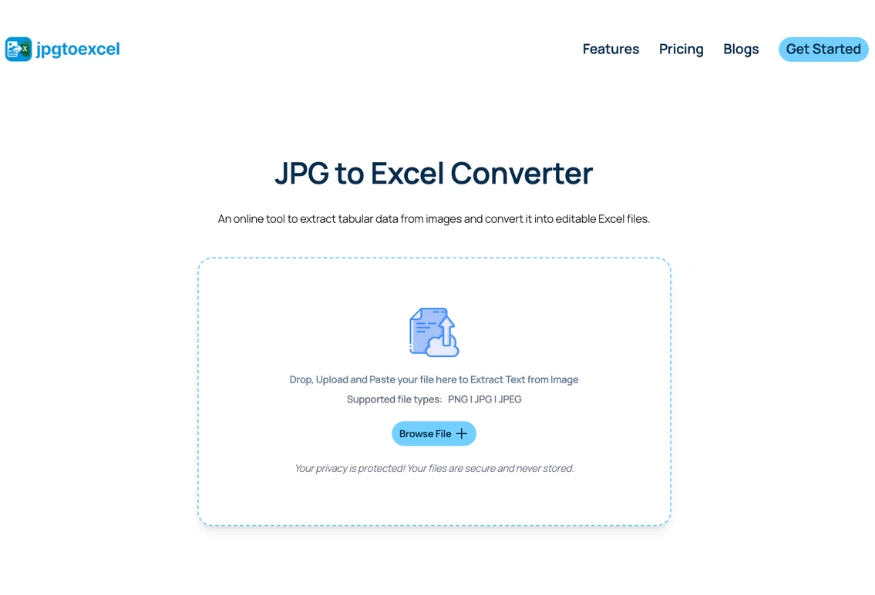
- Key strengths: processes a standard A4 table in under 20 seconds, requires no account creation, and applies SSL encryption with a strict zero-retention policy – uploaded files are deleted from the server immediately after conversion.
- Limitation: best suited for straightforward table conversion. It is not designed for complex multi-page PDF workflows that require document management features.
- Best for: freelancers, accountants, and office staff who need fast, accurate, single-table conversions on a daily basis.
2. Adobe Acrobat Online – Best for Enterprise Reliability
Adobe’s converter is the benchmark for document fidelity. It handles multi-language documents without configuration, preserves complex table layouts with high consistency, and integrates directly into Adobe’s broader document workflow.
- Key strengths: industry-leading layout retention, strong multi-language support, trusted security infrastructure.
- Limitation: full functionality requires an Adobe subscription, which starts at $14.99/month. The free tier limits both file size and the number of conversions per month.
- Best for: enterprise teams producing formal business reports where formatting precision is non-negotiable.
3. Microsoft 365 Mobile – Best for On-the-Go Scanning
The Microsoft Office mobile app includes a built-in scan-to-Excel feature that lets users photograph a printed table and convert it directly on their phone. The integration with OneDrive and desktop Excel is seamless.
- Key strengths: instant mobile-to-desktop workflow, no extra software required for Microsoft 365 subscribers, solid accuracy on standard printed documents.
- Limitation: requires an active Microsoft account and is limited to mobile use. It does not support batch processing.
- Best for: sales reps, field workers, and anyone who regularly captures receipts or printed tables while away from a desk.
4. Online2PDF – Best Free Option for Students and Small Offices
Online2PDF offers a genuinely useful free tier with no login required. Users can upload up to 20 files simultaneously and merge them into a single output spreadsheet, which is a practical feature for consolidating multiple invoices.
- Key strengths: completely free for standard use, supports batch merging, offers customization settings before conversion begins.
- Limitation: file size is capped at 100MB per batch, and the OCR accuracy on complex or low-contrast images falls below the premium tools in this list.
- Best for: students, researchers, and small offices that process moderate volumes of clean, well-formatted documents.
5. Nanonets – Best for High-Volume Business Automation
Nanonets operates at a different scale than the other tools on this list. It allows businesses to train a custom AI model on their specific document formats, whether a proprietary purchase order template or an internal expense form.
- Key strengths: trainable on custom document types, handles thousands of files per day, integrates with ERP systems and accounting platforms via API.
- Limitation: setup requires technical expertise and time to train the model. It is not a practical choice for individual users or one-off conversions. Pricing is enterprise-tier.
- Best for: data engineering teams and large corporations running automated document processing pipelines.
How to Convert JPG to Excel in 5 Steps for 99.9% Accuracy
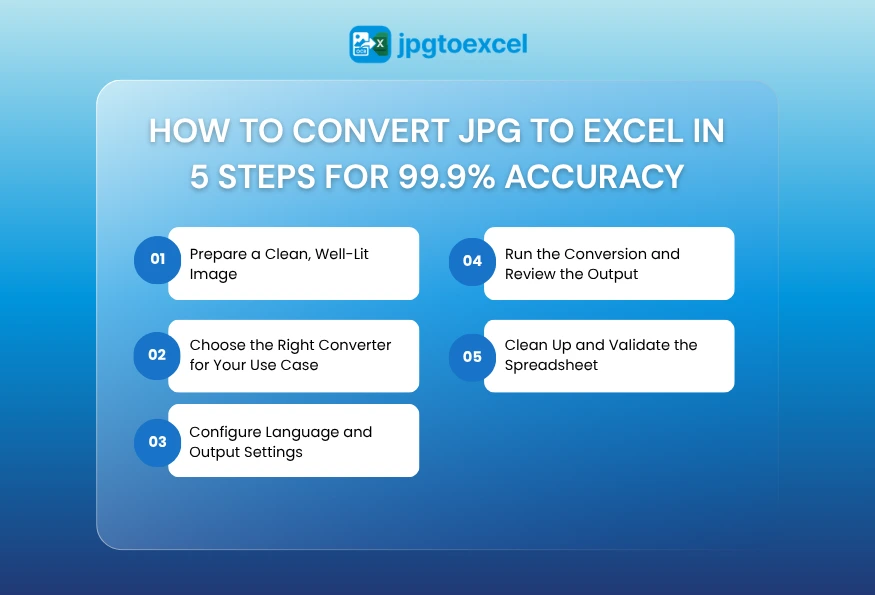
To convert a JPG to Excel accurately, follow these five steps: prepare a clean source image, select the right tool for your use case, configure language and output settings, run the conversion, and validate the output against the original. Each step directly affects the final accuracy.
Step 1: Prepare a Clean, Well-Lit Image
Image quality is the single biggest variable in conversion accuracy. A blurry or shadowed photo will produce errors that no OCR engine can fully correct.
For best results: shoot in natural light or under consistent artificial lighting, hold the camera directly above the document (minimize tilt), and ensure the full table is within frame with visible borders.
Step 2: Choose the Right Converter for Your Use Case
Match the tool to the job. For daily single-table conversions, jpgtoexcelconverter.com delivers the fastest results. For enterprise batch workflows, Adobe or Nanonets are more appropriate.
Step 3: Configure Language and Output Settings
Set the document language before conversion. Most tools default to English, but processing a French or German financial table without language configuration increases character misread rates significantly.
Select .xlsx as the output format for full Excel compatibility. Avoid .csv output if the original table contains formatting or merged cells, as .csv does not preserve structure.
Step 4: Run the Conversion and Review the Output
After the converter delivers the file, open it side-by-side with the original image. Scan for these common OCR errors first:
- “0” (zero) read as “O” (letter)
- “1” read as “l” (lowercase L)
- Decimal separators: “1.200” vs. “1,200”
- Missing rows at the top or bottom of dense tables
Step 5: Clean Up and Validate the Spreadsheet
Use Excel’s SUM formula to cross-check column totals against the original document. For large tables, a quick COUNTBLANK formula identifies any cells the OCR left empty.
This five-minute validation step catches the small percentage of errors that even the best converters produce on imperfect source images.
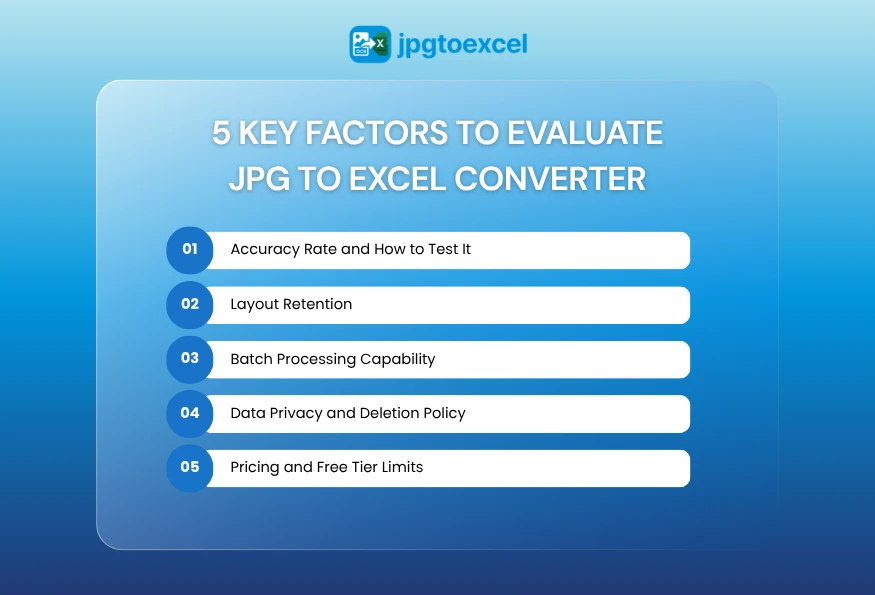
5 Key Factors to Evaluate Any JPG to Excel Converter
Not all converters deliver the same results on the same document. Before committing to a platform, evaluate it across these five dimensions to ensure it matches your accuracy requirements, workflow volume, and data security standards.
Accuracy Rate and How to Test It
Run a controlled test before committing to any tool. Use a sample image with at least 50 data cells, including numbers, text, and a currency column. Count the errors in the output. An acceptable accuracy rate for professional use is 99% or above on clean images.
Layout Retention
A converter that delivers a “wall of text” instead of a structured table forces manual reformatting, defeating the purpose. Verify that the tool preserves column borders, row spacing, and merged cells on your most complex document type.
Batch Processing Capability
If you process more than 10 documents per week, a single-file upload is a bottleneck. Prioritize tools that support multi-file upload and ideally allow folder-level batch processing.
Data Privacy and Deletion Policy
Financial documents, invoices, and payroll data are sensitive. Before uploading any confidential file to an online converter, verify that the platform states explicitly how long uploaded files are retained and whether they are used for model training.
The safest platforms apply a zero-retention policy: files are deleted immediately after conversion and never stored on the server.
Pricing and Free Tier Limits
Most tools offer a free tier sufficient for light personal use. Understand the limits: file size caps, daily conversion limits, and whether batch processing is included. For business use, calculate the cost per conversion against the time saved by automation.
Conclusion
Choosing the right JPG to Excel converter comes down to three factors: the accuracy it delivers on your specific document type, whether its feature set matches your workflow volume, and how it handles the privacy of your data.
For most professionals, jpgtoexcelconverter.com delivers the fastest path from image to clean spreadsheet, with zero-retention security and no login friction. For enterprise-scale automation, Nanonets and Adobe offer the infrastructure to process thousands of documents without manual oversight.
The tools reviewed in this guide cover every use case from a student scanning a single table to a finance team automating invoice processing across an entire department. Match the tool to the task, validate the output, and manual data entry becomes a problem you no longer need to solve.
FAQ: JPG to Excel Converter – Common Questions Answered
How do I convert a JPG file to Excel for free?
Upload your JPG to a free converter such as jpgtoexcelconverter.com or Online2PDF. Neither platform requires account creation. Select .xlsx as the output format, click convert, and download the file. Most free tools handle standard tables accurately, though complex or low-contrast images may require a premium tool for full accuracy.
Which JPG to Excel converter is the most accurate?
For everyday table conversion, jpgtoexcelconverter.com and Adobe Acrobat Online deliver the highest accuracy rates on clean images. For enterprise-scale workflows with custom document formats, Nanonets achieves the highest precision because its model can be trained specifically on your document type.
How does OCR convert an image to a spreadsheet?
OCR scans the pixel patterns in an image to identify individual characters, then maps their spatial positions to determine row and column boundaries. Modern AI-driven OCR also interprets table structure, so it places each value into the correct spreadsheet cell rather than outputting a flat string of text.
Can I convert a photo of a handwritten table to Excel?
Yes, but with lower accuracy than printed tables. Most AI-powered converters handle clear, consistent handwriting at 85-92% accuracy. For best results, write in block letters, use a ruled surface to keep rows straight, and photograph under even lighting. Expect to spend more time on manual correction than with printed documents.
Is it safe to upload financial documents to an online converter?
It depends on the platform’s security policy. Use only tools that apply SSL encryption during upload, and publish a clear data retention policy. Platforms with a zero-retention policy, including jpgtoexcelconverter.com, delete files immediately after conversion and do not use uploaded data for model training or analytics.


