
 January 19, 2026
 11 min read
Business Card Scanner technology is the ultimate solution for professionals who frequently attend trade shows, conferences, and networking events. Imagine this common scenario: you spend a long, productive day meeting dozens of potential clients. By the time you return to your hotel or office, you have a massive stack of paper cards shoved in your pockets or briefcase. This pile of physical paper represents a significant challenge for your sales growth. In many cases, these physical cards are where good leads go to die, simply because the process of digitizing them is too slow and exhausting.
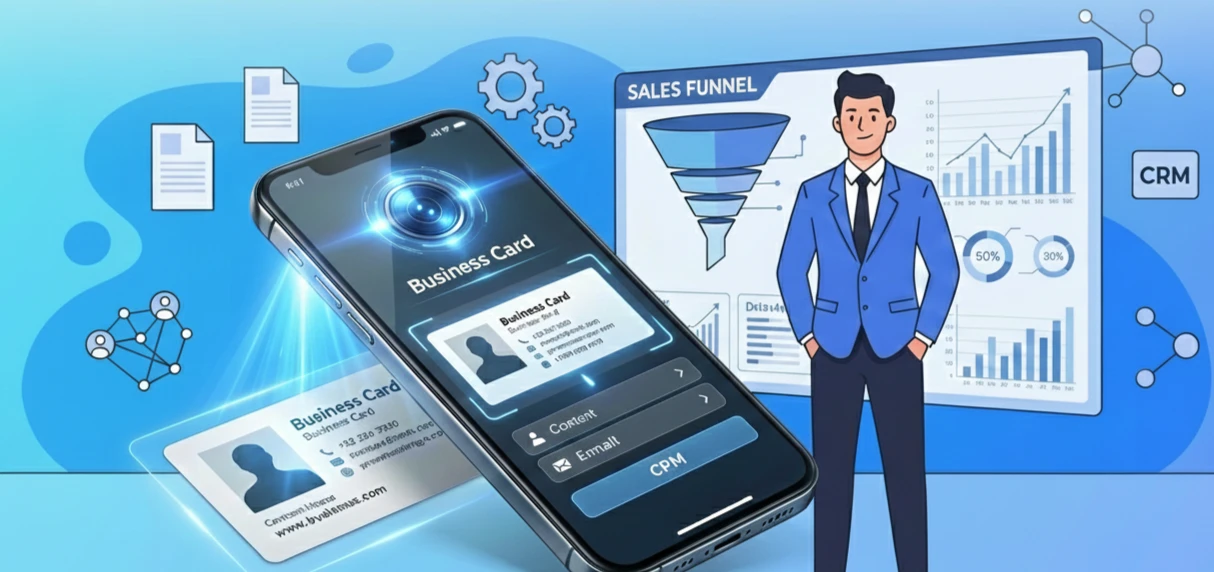
A professional business card scanner is the best tool to solve this problem for good. By using a smart camera and advanced AI, this technology reads the text on your cards instantly and transforms it into actionable data. What used to be a long, manual task is now a fast, automated process. You no longer have to waste time typing in names, job titles, or phone numbers by hand. The ultimate goal is to move from a physical object to a digital asset, making your professional contact management much more efficient. A business card scanner ensures that you never lose a lead again, fundamentally changing the way you handle every new relationship you build.
Why Manual Data Entry is Hurting Your Sales
Relying on manual data entry is a silent killer of sales productivity. Typing in information by hand is a very slow and boring process that often leads to many small, yet critical, mistakes in your database. A misspelled name on a follow-up email can make your company look unprofessional, while a wrong phone number means you can never call that prospect back to close a deal.
The Cost of Delay in the Sales Cycle
Manual entry also causes a massive delay in your sales cycle. If you wait a week to enter your new leads into a list, the person has likely already forgotten about your conversation or, worse, signed a deal with a competitor who followed up faster. This “lead leakage” is why many deals fail before they even start. Furthermore, it is incredibly expensive to have your high-value sales staff performing low-value typing work. A business card scanner saves your team from this tedious task, allowing them to focus on what they do best: talking to customers and winning business.
The Core Technology: How a Business Card Scanner Works
To understand the power of a modern business card scanner, we must look at the “engine” under the hood: OCR technology. OCR stands for Optical Character Recognition, and it is the science of turning an image into searchable text.
-
Pattern Recognition: The business card scanner looks at the shapes of the letters and converts them into digital text.
-
Artificial Intelligence (AI): Modern tools use AI to understand the context of the words. It can tell the difference between a person’s name and their company name, or distinguish between a mobile phone number and a fax number.
-
Image Pre-processing: Before reading the data, the system automatically crops the image, removes shadows, and fixes blurry photos. This ensures the business card scanner provides the most accurate results every single time.
-
Multi-language Support: Professional tools can read cards in English, Vietnamese, Japanese, or French. This is vital for global companies that work with international partners.
From Business Card to Excel: The Automated Workflow
One of the most popular ways to manage leads is by converting a business card to Excel. This structured format is perfect for sorting, filtering, and analyzing your new contacts. The workflow is simple and high-speed:
-
Digital Capture: Use your mobile phone or a desktop business card reader to take a clear photo.
-
Intelligent Extraction: The AI maps out every field, including the name, email, website, and job title.
-
Validation Check: The software runs a verification check to ensure the extraction is correct. You can quickly fix any fields that don’t look right.
-
Bulk Export: Once verified, you can export the data into a .xlsx or .csv file. The business card to Excel feature allows you to build a massive lead list in minutes instead of hours.
Beyond Spreadsheets: How to Scan Contacts and Use CRMs
While Excel is great for lists, a professional business card reader can do much more. It can sync your new data directly to your smartphone’s address book. This allows you to scan contacts and have them ready to use immediately. When a prospect calls you, their name appears on your screen, making your follow-up feel personal and modern.
Seamless CRM Integration
Effective contact management depends on having a “single source of truth.” Most modern scanners can push data directly into CRM systems like HubSpot, Salesforce, or Zoho. This direct integration removes the need for manual typing and creates a smooth path from a simple handshake to a closed deal. When you scan contacts, you can also add group tags like “Tech Expo 2024,” giving your sales team the context they need for a perfect follow-up.
Strategic Benefits of a Professional Business Card Reader
Speed is the ultimate competitive advantage in sales. A business card reader allows you to follow up with a lead almost instantly—sometimes while you are still at the event. This speed makes a great impression and keeps you at the top of the prospect’s mind.
Furthermore, going paperless reduces physical clutter and helps the environment. You won’t have to search through piles of paper to find a number; everything is organized and easy to search on your screen. Using a business card scanner makes you look like a tech-savvy professional who is ready for the digital age, building trust before you even start your first sales pitch.
Security, Privacy, and Professional Contact Management
Protecting sensitive lead data is a major responsibility. A high-quality business card scanner must keep personal data safe through strong encryption. In the age of GDPR and global privacy rules, handling data ethically is essential.
Professional contact management means keeping data clean, private, and secure. Whether you choose cloud storage for easy access or local storage for maximum privacy, your tool should give you the flexibility to stay compliant with local laws. Treating a digital contact with the same respect as a physical one is the foundation of long-term business trust.
Implementation: Choosing the Right Business Card Scanner
Choosing the right tool depends on your specific workflow.
-
Mobile Apps: Perfect for people on the move who need to capture leads in hallways or coffee shops.
-
Desktop Machines: Better for high-volume office tasks where you need to process hundreds of cards in a single batch.
When evaluating a business card reader, prioritize accuracy above all else. A tool that makes mistakes is not helpful and can cause more work later. Test the software with different colors, logos, and fancy fonts to see how it performs in the real world. A simple, user-friendly interface will ensure that your entire sales team actually uses the new system.
Future Trends: The Evolution of Professional Identity
The world of networking is changing fast. While we might see more digital cards using QR codes or NFC chips, the business card scanner will remain a vital bridge for a long time. Future AI will offer “Relationship Intelligence,” tracking every time you talk to a contact and even finding news stories related to their company. The goal is to move from simple lists to deep, meaningful professional connections.
Why jpgtoexcelconverter.com is The Right Solution For You?
Your time is your most valuable asset. At jpgtoexcelconverter.com, we provide a fast, reliable, and highly accurate business card scanner designed for modern teams. We make the move from a business card to Excel simple and stress-free, allowing you to scan contacts in bulk with total confidence.
Our focus on professional contact management ensures that your data stays safe, organized, and ready for your CRM. We help you turn every physical card into a valuable digital lead, giving you the speed you need to win in today’s market. Choose jpgtoexcelconverter.com to automate your lead entry and grow your sales pipeline today.
Frequently Asked Questions
Can a business card scanner read handwritten notes?
Most advanced scanners focus on printed text, but some AI-driven models can recognize clear handwriting. However, for 99% accuracy, printed cards are best.
Is it safe to store my contacts in the cloud?
Yes, provided you use a reputable tool like ours that uses encryption and follows privacy laws like GDPR.
How do I convert a business card to Excel for free?
Many apps offer a limited number of free scans. For professional, high-volume needs, a dedicated service like jpgtoexcelconverter.com is the most efficient choice.
Conclusion: Turning Every Handshake into a Digital Record
Every handshake is an opportunity to start a new business relationship. By using a business card scanner, you ensure that no opportunity is ever wasted. Converting a business card to Excel gives you a clean, professional list for your sales calls, while the ability to scan contacts keeps your mobile database updated effortlessly. Don’t let your leads gather dust in a drawer; take action today and digitize every card you receive. Your contact management strategy defines how well you grow—make it digital, make it fast, and make it accurate with the right technology.


