
 December 17, 2025
 11 min read
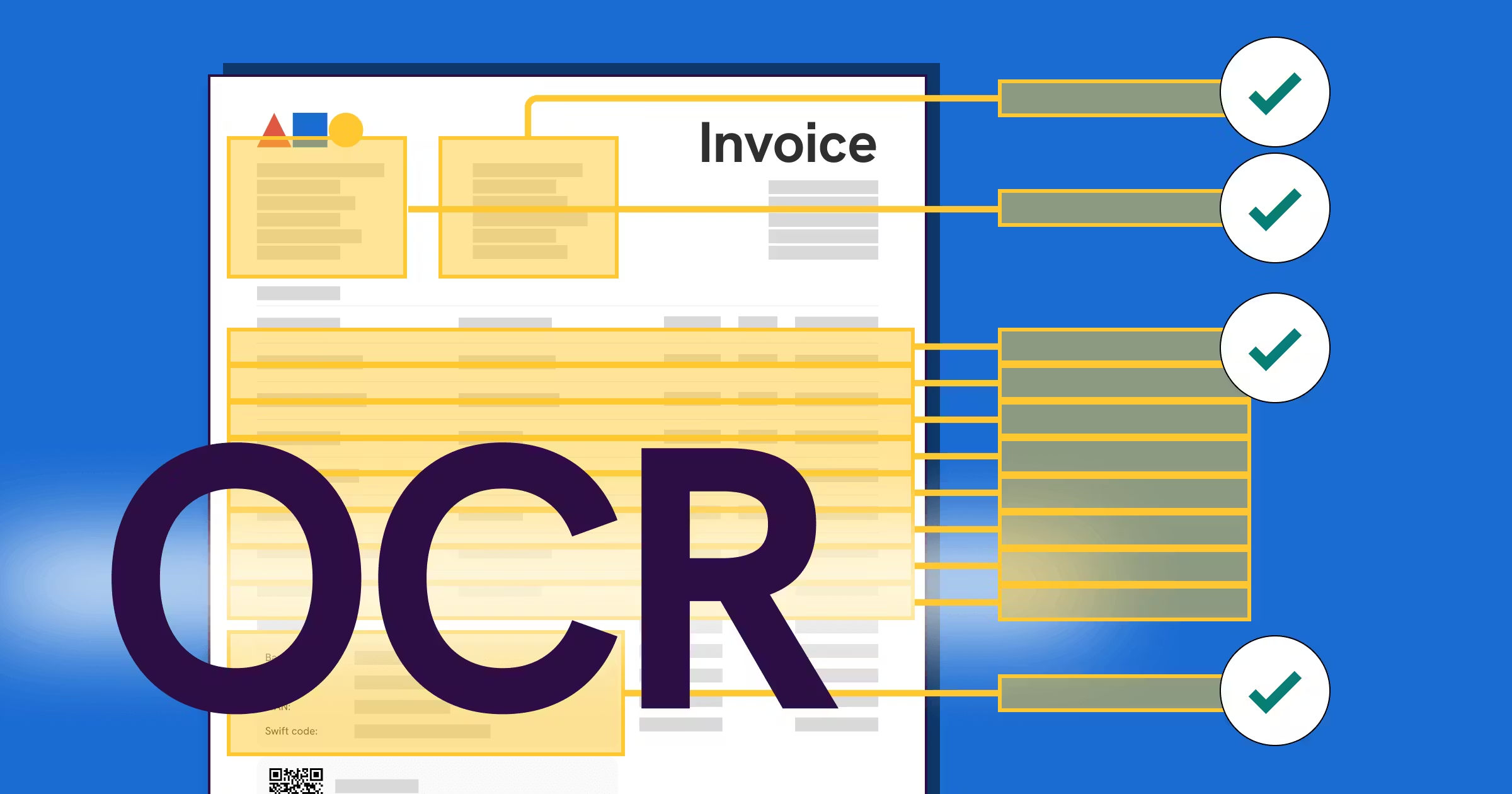
Invoice OCR is fundamentally changing the way finance departments operate by eliminating the high cost and inefficiency of manual data entry. Every accounts payable team knows the monthly nightmare: staring at a massive stack of paper bills or a disorganized folder of PDF files. The traditional job of an accountant often involves typing thousands of lines of data into a legacy system—a process that is notoriously slow, boring, and highly prone to expensive mistakes. A single typo can lead to incorrect payments or strained vendor relationships, turning talented financial professionals into data entry robots for days at a time.
This is precisely where Invoice OCR becomes a game-changer for your business. By stopping the endless cycle of manual typing, you free up your team for strategic analysis. Invoice OCR stands for Optical Character Recognition technology tailored specifically for financial documents. It is not merely about reading text on a page; true Invoice OCR understands the semantic meaning behind the words. It distinguishes between an invoice number and a phone number, or a due date and a transaction date. This context-aware processing is what makes the technology so powerful for modern back-office operations.
How Invoice OCR Works: From Raw Image to Structured Data
To trust automated systems, you must first understand how the software transforms a document. It is a multi-step digital progression:
1. Image Pre-processing
The first step in Invoice OCR is cleaning the image. Scanned invoices are often crooked, blurry, or have shadows. The software performs “deskewing” to straighten text lines and uses binarization to create a high-contrast black-and-white image. This ensures the computer can see every letter with absolute clarity.
2. Intelligent Data Extraction
Once the image is clean, the data extraction phase begins. The software identifies “header data” at the top (Vendor Name, Date) and “footer data” at the bottom (Total, Tax). However, the real technical challenge is line item extraction. This involves reading the dynamic tables in the middle of the invoice—quantities, descriptions, and unit prices. Advanced Invoice OCR must understand where a table starts and ends, even if the grid lines are invisible. This ability to extract data from invoice tables is vital for accurate inventory tracking and financial reporting.
Evolution of Technology: AI-Powered vs. Template OCR
The industry has shifted from rigid rules to flexible intelligence. Understanding this difference is key to choosing the right tool.
-
Template-Based OCR: In the past, systems required you to set up a specific “map” for every single vendor. If a vendor moved their “Total” box one inch to the right, the system broke. This created a maintenance nightmare for IT and finance managers.
-
AI-Powered Invoice OCR: The modern solution uses Machine Learning to read documents like a human does. It doesn’t rely on fixed zones; instead, it looks for keywords and context clues. For example, it knows that a number near the word “Total” or “Balance Due” is likely the amount to pay. This allows for truly automated invoice processing without any setup time for new vendors.
The Strategic Role of OCR in AP Automation
OCR is the engine, but Accounts Payable (AP) Automation is the destination. Invoice OCR acts as the foundation that powers the entire automation vehicle. Once the data is captured, it enables several advanced financial workflows:
2-Way and 3-Way Matching
This process automatically compares the invoice against the original Purchase Order (PO) and the Delivery Receipt. Doing this manually requires cross-referencing three different screens. With Invoice OCR, the system performs this comparison in milliseconds, flagging only the mismatches for human review.
Straight-Through Processing (STP)
The “Holy Grail” of finance is STP—where an invoice is received, extracted, matched, and paid without any human touch. Invoice OCR makes this possible by providing the clean, accurate data entry that a computer needs to make autonomous payment decisions. It allows you to pay vendors faster and capture early payment discounts that were previously lost to slow processing.
Tangible Benefits of Automated Invoice Processing
Adopting Invoice OCR provides a massive ROI for businesses of any size:
-
Cost Reduction: Automated processing can cut administrative costs by up to 80% by removing the need for dedicated data entry clerks.
-
Improved Accuracy: Computers do not suffer from fatigue or distraction. Invoice OCR eliminates transposition errors, ensuring your books are perfectly accurate.
-
Fraud Prevention: The system can automatically flag duplicate invoices or bills from unapproved vendors, protecting your cash flow from scammers.
-
Enhanced Visibility: Managers can convert invoice to excel at any moment for custom budget analysis, transforming the AP department into a strategic asset.
Integration: Connecting OCR to Your ERP
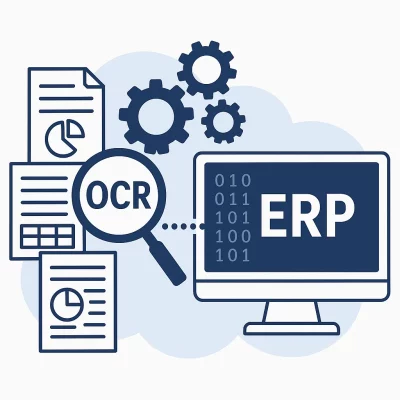
Extracted data is only useful if it flows seamlessly into your main financial systems. This is why integration is a key part of the Invoice OCR puzzle. Modern tools use API integration to connect the OCR engine with software like SAP, QuickBooks, Xero, or Oracle NetSuite.
This seamless flow eliminates the need to import and export files manually. However, good software also allows for flexible exports. Sometimes you might need to move a batch of data from an invoice to excel for a specific internal audit. A high-quality workflow typically involves a “Human-in-the-Loop” stage, where the system asks a human to verify fields that had a low confidence score (perhaps due to a blurry scan), ensuring 100% data integrity before the data is pushed to the ledger.
Why jpgtoexcelconverter.com is The Right Solution For You?
Choosing the right partner is critical, and jpgtoexcelconverter.com makes the decision simple. We provide the most accurate Invoice OCR technology on the market, engineered to handle messy scans and complex table layouts with ease. Our AI engine is designed for finance teams, not IT experts, ensuring a user-friendly experience from day one.
With our platform, you can effortlessly extract data from invoice files and convert invoice to excel or push it directly to your ERP. We prioritize security and speed, helping you eliminate manual entry so you can focus on the growth of your business. Trust jpgtoexcelconverter.com to lead your accounts payable department into the digital future.
Conclusion
Invoice OCR is no longer just a luxury for the “Big Four” or massive corporations; it is a necessity for any modern finance team. Manual data entry is a bottleneck that introduces risk and hides your true financial status. By adopting automated invoice processing, you gain the speed, accuracy, and visibility required to scale in a competitive market. Stop typing data today and let AI extraction take control of your financial documents. The future of accounts payable is automated, frictionless, and digital.


