
 November 18, 2025
 11 min read
Free vs Paid OCR software selection is a critical decision for modern businesses that are increasingly drowning in digital paperwork. In the world of software, the idea of getting a high-tech solution for nothing is always appealing. However, as we move through 2026, the question “Is free really free?” has never been more relevant. While open-source Optical Character Recognition (OCR) tools have reached a level of power that was unimaginable a decade ago, the “hidden costs” of these zero-cost tools often manifest in wasted employee hours, data inaccuracies, and security vulnerabilities.
For developers and small businesses watching every penny, tools like Tesseract seem like the perfect solution to the problem of manual data entry. They offer a world of custom possibilities without expensive licensing fees. On the other side of the spectrum, polished commercial OCR solutions promise superior accuracy, professional support, and advanced features designed for complex financial workflows. This guide will provide a deep-dive comparison to help you understand the trade-offs between Free vs Paid OCR and make the best choice for your organization’s specific needs.
What Is OCR Software and Why Does Your Choice Matter in 2026?
How OCR Technology Has Evolved Beyond Simple Text Recognition
OCR (Optical Character Recognition) is a technology that converts images of text, including scanned documents, photos, and PDFs, into machine-readable, editable data. What started as a tool that could barely distinguish an “O” from a “0” has evolved into AI-powered systems that understand document structure, context, and layout.
Intelligent Document Processing (IDP) is the next generation of OCR: it combines character recognition with machine learning to extract structured, categorized data automatically, identifying not just what a document says, but what each piece of data means. A traditional OCR tool reads “47,500.” An IDP platform reads “Invoice Total: $47,500” and routes it directly into your accounting system.
This distinction matters because the gap between basic OCR and intelligent document processing is where most businesses hemorrhage time and money.
The Real Cost of Getting This Decision Wrong
A single OCR misread on a vendor invoice, such as “$14,500” becoming “$74,500,” can take 2 to 4 hours to trace, correct, and reprocess across your systems. Multiply that by hundreds of documents per month and the math becomes uncomfortable fast.
Free tools shift the cost from software licensing to human correction time. Paid tools shift it back. The question is which cost is actually lower for your specific volume and workflow.
Free OCR Software in 2026: Capabilities, Limits, and Hidden Costs
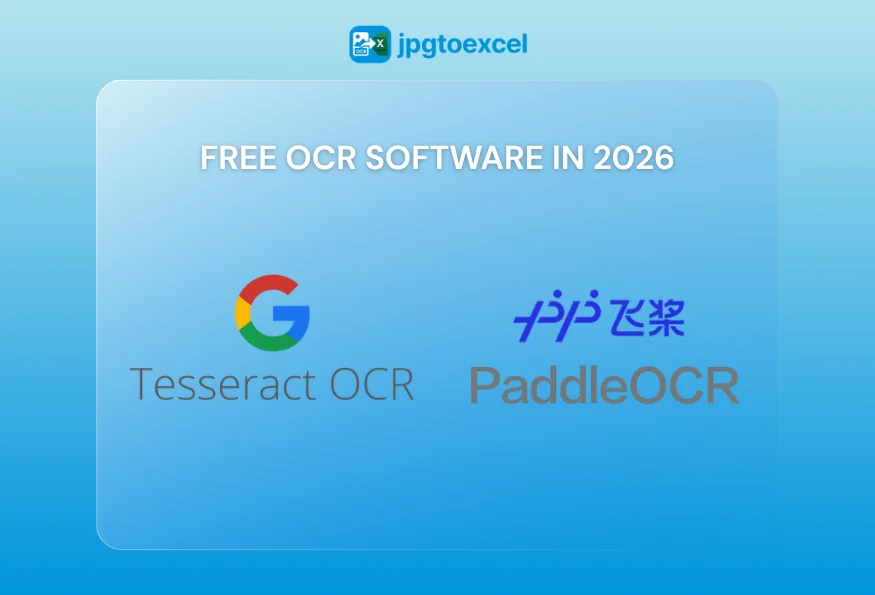
The Open-Source Champions: Tesseract and PaddleOCR
In the landscape of free OCR, a few names stand out for their robust engines and dedicated developer communities. These are the building blocks upon which many other applications are built, but they require a “technical tax” to function at a professional level.
1. Tesseract OCR (Supported by Google)
Tesseract is arguably the most famous open-source OCR engine in the world. Originally developed by HP in the 1980s and now maintained by Google, it is a powerhouse for developers who love to tinker.
-
The Pros: It is completely free with no subscriptions. It supports over 100 languages and has a massive community on Stack Overflow for troubleshooting.
-
The Cons: Tesseract is not a plug-and-play program; it is a command-line tool. To get professional results, you must write extensive code for image pre-processing (deskewing, binarization, noise removal). Without this, accuracy on real-world, messy documents can plummet, leading to critical accounting errors.
Best for: Developers learning OCR mechanics, researchers with static, clean document sets, and hobbyist projects with no compliance requirements.
2. PaddleOCR (By Baidu)
A more recent innovator, PaddleOCR has gained a reputation for being lightweight, fast, and surprisingly accurate with multi-language documents.
-
The Pros: It excels at recognizing both English and Asian characters on the same page. Its modern architecture often requires less manual pre-processing than Tesseract.
-
The Cons: The community is smaller, and documentation can sometimes have a language barrier. More importantly, its ability to export structured data—like a perfectly formatted Excel file—is still far behind paid commercial solutions.
Best for: Multilingual document workflows with developer resources available for integration work.
The Hidden Costs of Free OCR Tools Most Businesses Overlook
The licensing fee is zero. The total cost is not.
Developer setup and maintenance: Building a production-ready Tesseract or PaddleOCR pipeline typically costs 40-80 hours of developer time upfront, plus ongoing maintenance as document formats change.
Error correction overhead: At 70-80% accuracy on real-world scans, a business processing 500 documents per month will encounter 100-150 documents requiring manual correction. At an average of 15 minutes per correction, that is 25+ hours per month in labor, likely more expensive than a paid subscription.
Security and compliance gaps: Free tools run locally or through unvetted third-party wrappers. Uploading client financial documents to an unaudited “free online converter” creates direct GDPR, SOC 2, and HIPAA exposure. The liability from a single data breach dwarfs any software cost savings.
Zero professional support: When your free OCR pipeline breaks at 11 PM before a quarterly close, a Stack Overflow thread from 2019 is your only resource.
Paid OCR Solutions in 2026: When Precision Is Non-Negotiable
Cloud OCR APIs: Azure AI Document Intelligence, Amazon Textract, Google Cloud Vision
The major cloud providers offer OCR as intelligent APIs that go far beyond reading text. They understand document structure.
Amazon Textract, for example, does not just extract numbers from an invoice. It identifies which number is the “Total Due,” which is “Tax Amount,” and which is a line-item quantity, returning structured JSON that feeds directly into downstream systems.
| Azure AI Document Intelligence | Amazon Textract | Google Cloud Vision | |
| Clean PDF accuracy | 99.5%+ | 99.5%+ | 99%+ |
| Scanned doc accuracy | 97-99% | 97-99% | 95-98% |
| Table extraction | Excellent | Excellent | Good |
| Pricing model | Per page / per feature | Per page / per API call | Per image / per feature |
| Best for | Forms and structured docs | Invoices and receipts | General text, handwriting |
The trade-off: Per-page costs are low (typically $0.001-$0.015 per page depending on features), but volume processing at scale, such as tens of thousands of pages monthly, can become significant. Vendor lock-in is also a genuine consideration: migrating from Textract’s data schema to another platform mid-workflow is expensive.
Enterprise IDP Platforms: ABBYY, Nanonets, Rossum
For high-volume, mission-critical document processing, enterprise IDP platforms are the industry benchmark. Platforms like ABBYY FlexiCapture, Nanonets, and Rossum use “multi-engine voting,” running a document through multiple OCR engines simultaneously and using AI to select the most accurate interpretation of each character.
This approach consistently delivers 98-99.5% accuracy on degraded, low-quality source documents where single-engine solutions fail. Reconstructing a 100-page PDF with embedded charts, mixed tables, and footnotes into a clean, formatted Excel file is their native capability.
The trade-off: Enterprise IDP platforms typically start at $15,000-$50,000 per year for mid-market contracts. For small businesses or intermittent use cases, this pricing tier is not justifiable.
The Freemium Model: Enterprise Accuracy Without Enterprise Pricing
A freemium OCR model provides access to commercial-grade processing engines through a tiered structure, with a meaningful free allocation for testing and low-volume use, and transparent per-document or subscription pricing as volume scales.
This is where platforms like jpgtoexcelconverter.com sit. The processing engine behind the free tier is identical to the paid tier, not a degraded version. Small businesses can validate accuracy on their actual document types before committing budget.
ROI example: A finance team processing 200 invoices per month, spending 10 minutes per document on manual data entry, loses 33 hours monthly to data entry alone. At a $40/hour fully-loaded labor cost, that is $1,320 per month in extractable waste. A freemium paid tier that eliminates 90% of that cost for $49-$99/month is a straightforward ROI calculation.
Free vs Paid OCR Software 2026: Head-to-Head Comparison
| Criteria | Tesseract | PaddleOCR | Cloud APIs | Enterprise IDP | Freemium |
| Accuracy (clean PDF) | 99% | 98% | 99.5%+ | 99.5%+ | 99%+ |
| Accuracy (scan/photo) | 70-80% | 78-85% | 97-99% | 98-99.5% | 95-99% |
| Table/Excel export | Poor | Poor | Good-Excellent | Excellent | Good-Excellent |
| Setup complexity | High (dev required) | Medium-High | Medium (API) | Low-Medium | Low (UI) |
| Data security | Variable | Variable | Enterprise-grade | Enterprise-grade | Encrypted + auto-delete |
| Pricing | Free | Free | Pay-per-page | $15K+/year | Free tier + affordable paid |
Which OCR Software Is Right for Your Business Size?
- Solo users and hobbyists: Tesseract or PaddleOCR with developer skills, or the free tier of a freemium platform for occasional use
- Small business (1-50 employees): Freemium platform for professional accuracy, no technical setup, and no long-term contract
- Mid-market (50-500 employees): Cloud APIs with custom integration, or freemium paid tier for non-technical teams
- Enterprise (500+ employees) with high document volume: IDP platforms or custom cloud API implementations with dedicated infrastructure
How to Evaluate Any OCR Tool Before You Commit
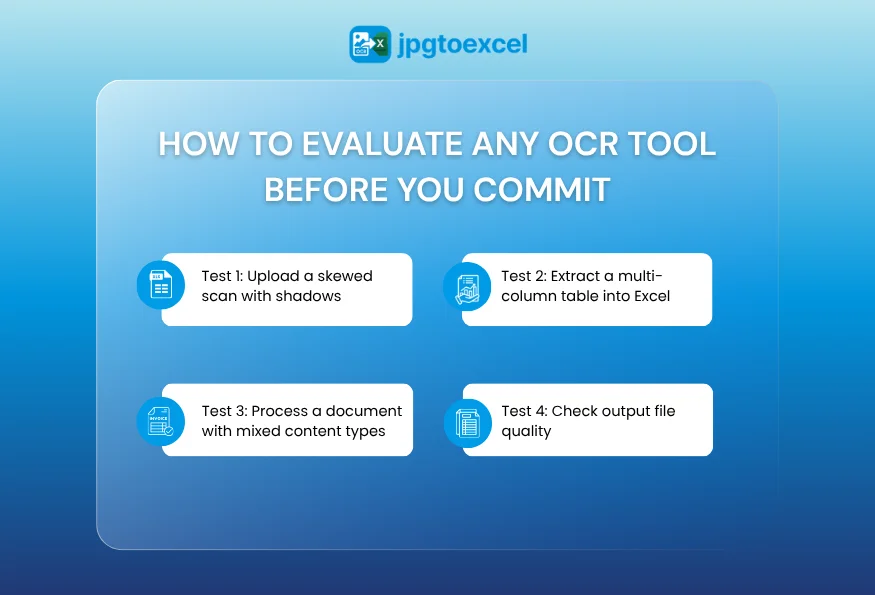
4 Tests to Run Before Going Live
Test 1: Upload a skewed scan with shadows. This is where free tools break down. A paid solution should maintain 95%+ accuracy. A free tool may return garbage text.
Test 2: Extract a multi-column table into Excel. Check whether rows and columns are preserved as distinct cells, or whether the output is an unstructured text block requiring manual reconstruction.
Test 3: Process a document with mixed content types. A page with a header, body text, a data table, and a footer tests layout reconstruction capability, which is the defining difference between basic and intelligent OCR.
Test 4: Check output file quality. Open the Excel output. Are numbers stored as numbers or as text strings? Are columns aligned? Are merged cells handled correctly? Formatting quality directly determines how much post-processing your team needs to do.
Security Checklist for OCR Software Evaluation
Before uploading any business document to an OCR platform, verify:
- GDPR compliance: Is data processed within your jurisdiction? Is there a Data Processing Agreement available?
- SOC 2 Type II certification: Has the platform been independently audited for security controls?
- Auto-deletion policy: Are uploaded files deleted after processing? What is the retention window?
- Encryption: Is data encrypted in transit (TLS) and at rest (AES-256)?
On-premise option: For highly sensitive documents, is local processing available?
Why is JPGtoExcelConverter the right solution for you?
Choosing between free and paid OCR shouldn’t be a headache. At jpgtoexcelconverter.com, we have optimized our technology to provide enterprise-level precision with the accessibility of a user-friendly tool.
We utilize advanced AI that outperforms standard open-source engines in table recognition and layout retention. We prioritize your data security with strict encryption and auto-deletion protocols, ensuring you stay compliant with privacy laws. Whether you are a student needing a quick conversion or a finance team automating thousands of invoices, we provide the accuracy of a paid tool with a frictionless experience.
Conclusion: Which OCR Solution Should You Choose?
The free vs paid OCR software decision comes down to three variables: your technical resources, your document complexity, and your cost-of-error tolerance. Free tools are genuinely powerful in the right hands, specifically for a developer with a clean dataset and time to build preprocessing pipelines. For everyone else, the question is not whether you can afford a paid OCR solution. It is whether you can afford the hours, errors, and compliance exposure of not using one.
Choose free OCR if you have developer resources, clean document sets, and zero compliance requirements. Choose paid cloud APIs or enterprise IDP if you are processing mission-critical documents at scale. Choose a freemium platform if you need professional accuracy without a corporate contract and want to prove the ROI before spending a dollar.
Manual data entry is a solvable problem. Audit your current workflow, count the correction hours your team is logging this month, and match that number against what a better tool would cost.
FAQ: Free vs Paid OCR Software
Is free OCR software accurate enough for business use in 2026?
For clean digital PDFs with consistent formatting, free tools like Tesseract can reach 99% accuracy. For real-world business documents such as scanned invoices, photographed receipts, and faded thermal paper, accuracy drops to 70-80%. For any workflow where a misread number has financial or legal consequences, that error rate is not acceptable without significant human verification overhead.
What are the hidden costs of using free OCR tools like Tesseract?
The primary hidden costs are developer setup time (40-80 hours for a production pipeline), ongoing error correction labor (25+ hours per month at typical business document volumes), and compliance risk from using unaudited processing environments. For many small businesses, these costs exceed the price of a paid subscription within the first three months.
How does paid OCR software handle tables and Excel formatting?
Paid OCR platforms use layout analysis algorithms that identify row-column relationships within a table before extraction. The result is a structured Excel file with data correctly distributed across cells, preserving the original grid. Free tools process tables as linear text streams, producing output that requires manual reformatting, which is the most time-consuming part of document digitization workflows.
When should a small business switch from free to paid OCR software?
The threshold is usually volume and error tolerance. If your team processes more than 50 documents per month, spends more than 5 hours monthly correcting OCR errors, handles documents containing financial figures or legal terms, or operates in a regulated industry, the business case for a paid solution is clear. Most freemium platforms allow you to verify that ROI before committing to a paid tier.
- Email: contact@jpgtoexcelconverter.com
- LinkedIn: https://www.linkedin.com/in/jpgtoexcelconverter/
- X: https://x.com/jtoexcelconvert


