
 October 28, 2025
 11 min read
Image to Excel for business has shifted from a back-office convenience to a core part of how modern companies eliminate paperwork bottlenecks. Manual data entry, the process of typing information from paper receipts, invoices, and reports into a computer, remains one of the most expensive hidden costs in daily operations. It is slow, repetitive, and prone to errors that ripple into financial records, vendor relationships, and decision-making. Even a small team can lose hours every week to this single task.
OCR-powered conversion tools solve this problem at the source. They scan an image of a document, recognize the text and table layout inside it, and output a clean, editable Excel file in seconds rather than minutes.
Direct Answer: What is image-to-Excel conversion? Image-to-Excel conversion uses Optical Character Recognition (OCR) to read text, numbers, and table structures from a photo or scanned document, then export that data into an editable spreadsheet. It removes manual typing from the workflow and turns a flat image into structured, searchable data ready for analysis.
What Is Image-to-Excel Conversion and Why It Matters
How OCR Technology Reads and Extracts Data
Optical Character Recognition (OCR) is technology that identifies printed or handwritten characters inside an image and converts them into machine-readable text. Newer OCR models also use AI to understand context, not just isolated characters, which is why today’s tools can handle messy receipts and inconsistent invoice layouts far better than the OCR software of a decade ago.
A modern OCR pipeline for business documents typically follows four steps:
- Image capture: a photo, scan, or PDF screenshot of the source document is uploaded.
- Layout detection: the system identifies tables, columns, headers, and line items within the image.
- Character recognition: each character and number is matched against trained text models, including handwriting in many tools.
- Validation and export: extracted data is checked for consistency, then exported into a structured .xlsx file.
This pipeline is what allows a crumpled receipt or a multi-page invoice to become a usable spreadsheet row in seconds.
Manual Entry vs. Automated Conversion
The gap in cost, speed, and accuracy between manual entry and OCR-powered conversion is large enough to change how finance teams plan their headcount.
| Factor | Manual Data Entry | Automated Image-to-Excel Conversion |
| Average cost per document | $15-$16+ per invoice | As low as $3 per invoice |
| Typical error rate | About 1.6% of entries | Near-zero with validation checks |
| Cost to fix one error | Roughly $53 per mistake | Minimal, caught before export |
| Processing speed | 10-20 minutes per document | Seconds per document |
| Scalability | Limited by staff hours | Scales to thousands of documents |
These figures come from benchmarking research compiled by the Institute of Finance & Management (IOFM), which tracks accounts payable costs across thousands of organizations.
Scan Receipts to Excel: Streamlining Expense Management
For any business, tracking expenses accurately is essential for budgeting and tax season, but collecting and entering data from paper receipts is one of the most tedious tasks in accounting. Receipts fade, get lost, or pile up before anyone enters them into a spreadsheet.
The ability to scan receipts to Excel changes this entirely.
Common Pain Points in Manual Receipt Tracking
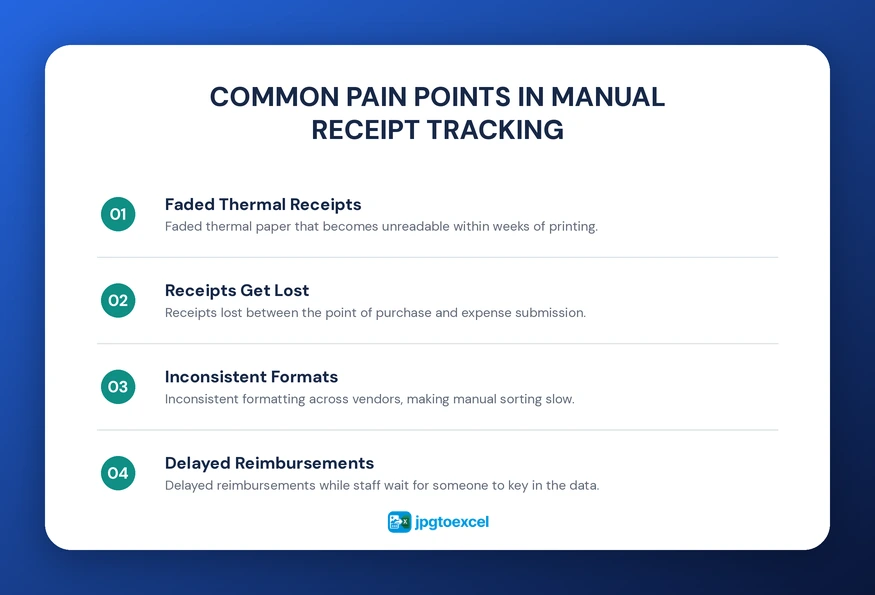
- Faded thermal paper that becomes unreadable within weeks
- Receipts lost between the point of purchase and expense submission
- Inconsistent formatting across vendors, making manual sorting slow
- Delayed reimbursements while staff wait for someone to key in the data
Step-by-Step: From Phone Photo to Spreadsheet
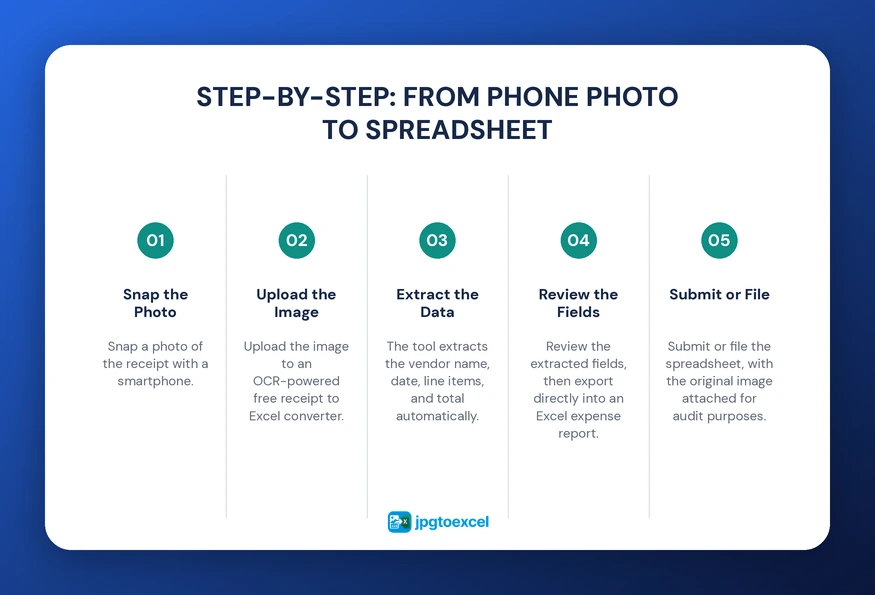
- Snap a photo of the receipt with a smartphone.
- Upload the image to an OCR-powered free receipt to Excel converter.
- The tool extracts the vendor name, date, line items, and total automatically.
- Review the extracted fields, then export directly into an Excel expense report.
- Submit or file the spreadsheet, with the original image attached for audit purposes.
This workflow can turn a stack of receipts into a complete, categorized expense report without anyone touching a keyboard.
Invoice to Excel OCR: Automating Accounts Payable
The accounts payable (AP) department is where manual data entry creates the most expensive bottlenecks. Processing invoices the traditional way involves receiving mail, printing emailed PDFs, and manually typing invoice numbers, due dates, and line items into an accounting system.
What Data Fields OCR Extracts from Invoices
Invoice to Excel OCR can typically capture:
- Invoice number and purchase order reference
- Vendor name and billing address
- Line-item descriptions, quantities, and unit prices
- Subtotal, tax, and total amount due
- Due date and payment terms
Cost and Time Savings in AP Processing
According to benchmarking data compiled by the Institute of Finance & Management, manual invoice processing costs companies between $15 and $16 per invoice on average, while automated extraction can bring that figure down to roughly $3 per invoice. The same research found manual data entry carries an error rate near 1.6 percent, with each mistake costing about $53 to correct once it reaches an accounting system.
For a company processing 1,000 invoices a month, that gap alone can represent thousands of dollars in monthly savings, before accounting for the staff hours redirected to higher-value work.
Tools built specifically to convert JPG invoices to Excel handle this extraction automatically, matching each field to the right column without manual mapping.
Digitize Documents to Spreadsheet: Going Paperless
The dream of a paperless office is more attainable than ever. By choosing to digitize documents to spreadsheet, businesses can convert contracts, reports, purchase orders, and handwritten notes into organized digital files within one workflow.
What Document Types Can Be Digitized
- Vendor and customer invoices
- Receipts and expense slips
- Purchase orders and packing lists
- Contracts and signed agreements
- Handwritten logs and inspection notes
Security and Storage Benefits of Digital Records
Going paperless reduces physical storage costs, including filing cabinets and off-site archive fees, and removes the risk of a document being lost in a flood, fire, or simple misfiling. Digital files can also be password-protected, backed up automatically, and shared with the right team member in seconds rather than days, which matters most during audits or year-end close.
OCR for Business Workflows Across Industries
Adopting OCR for business workflows is a strategic move that extends well beyond accounting. It reduces delays, routes information automatically, and frees staff for work that requires judgment rather than typing.
Accounting and Finance Use Cases
Accounting teams use image to Excel for accounting to process invoices, receipts, payroll documents, and bank statements through the same workflow, cutting the time spent reconciling records at month-end. Comparing options through a resource like our best JPG to Excel converter roundup helps teams choose the right tool before committing to one platform.
Logistics, Healthcare, and Retail Use Cases
- Logistics: freight teams use bill of lading to Excel conversion to extract shipment details from scanned bills of lading instead of retyping them at every handoff.
- Healthcare: clinics rely on medical report to Excel conversion to move lab results and patient data out of paper charts and into structured records.
- Retail: store managers digitize supplier invoices and inventory counts to track stock levels without manual recounts.
Research from McKinsey’s November 2025 analysis found that currently available technology could automate roughly 57 percent of work hours in the United States, with document-heavy tasks like data entry among the most exposed to this shift. That makes OCR adoption less of an experiment and more of a competitive necessity.
Convert Scanned Reports to Excel at Scale
Businesses often deal with large volumes of reports, financial statements, market analyses, and audit files that contain valuable data trapped inside scanned pages. Manually extracting this information from hundreds or thousands of pages is both slow and risky for accuracy.
Extracting Data from Tables and Charts in Bulk
The ability to convert scanned reports to Excel at scale relies on tools that can process multi-page documents in a single batch, recognize repeated table structures across pages, and export everything into one consolidated spreadsheet rather than dozens of separate files.
Direct Answer: How accurate is OCR for scanned reports? Modern OCR tools typically reach 95 to 99 percent accuracy on standard printed tables and structured reports. Accuracy drops on low-resolution scans or handwritten notes, so a quick review step before export remains good practice for high-stakes financial or compliance data.
Key Benefits of Image-to-Excel Conversion for Business
The advantages of image-to-Excel conversion compound across departments once it becomes part of the standard workflow.
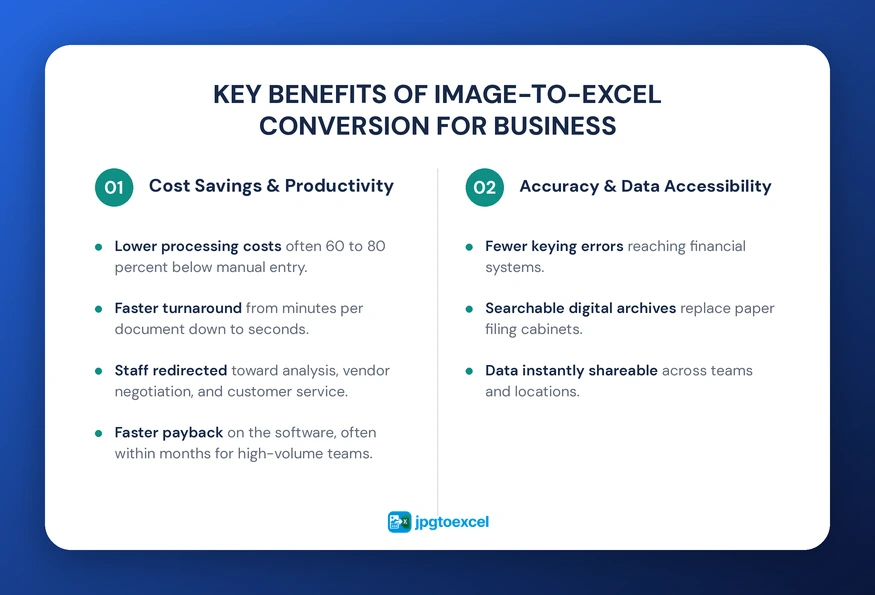
Cost Savings and Productivity Gains
- Lower per-document processing costs, often 60 to 80 percent below manual entry
- Faster turnaround, from minutes per document down to seconds
- Staff redirected from typing toward analysis, vendor negotiation, and customer service
- Faster payback period for the software itself, often within months for high-volume teams
Improved Accuracy and Data Accessibility
- Fewer keying errors reaching financial systems
- Searchable digital archives instead of paper filing cabinets
- Data instantly shareable across teams and locations
It is worth noting that OCR accuracy depends on image quality. Blurry photos, low-contrast thermal receipts, and dense handwriting can still require a quick manual review before the data is finalized. A short verification step keeps the accuracy gains intact without pretending the technology is flawless.
Future Trends: AI-Enhanced OCR and RPA Integration
The future of image-to-Excel conversion is being shaped by AI and machine learning. AI-enhanced OCR systems are becoming better at understanding document context, not just isolated characters, which improves accuracy on messy or inconsistent layouts.
The global OCR market is projected to reach 32.90 billion dollars by 2030, growing at a compound annual rate of 14.8 percent, according to Grand View Research. Much of that growth is tied to integration with Robotic Process Automation (RPA), technology that chains together multiple automated steps, such as extracting invoice data and then updating an accounting system, without a person touching either step. For businesses, that means today’s OCR investment keeps compounding in value as the surrounding automation ecosystem matures.
Conclusion
Image to Excel for business is becoming a baseline expectation for any company that wants to compete on speed and accuracy. From scanning receipts to automating accounts payable and digitizing entire archives, the applications span every department that touches paper.
The businesses seeing the biggest returns treat this as infrastructure rather than a one-off project. They apply OCR consistently across receipts, invoices, and reports instead of automating just one document type and stopping there. As AI-enhanced OCR and RPA continue to mature, the gap between manual and automated workflows will only widen.
Ready to put image to Excel for business to work in your own workflow? Try jpgtoexcelconverter and convert your first document into a spreadsheet in minutes.
FAQs: Image to Excel Conversion for Business
How does image to Excel conversion work for businesses?
A business uploads a photo or scan of a document, and OCR software identifies text, numbers, and table structures within the image. The extracted data is matched to the correct fields, validated for consistency, and then exported as an editable Excel file, typically within seconds rather than the minutes manual entry would require.
Is OCR accurate enough for invoice processing?
Yes. Modern OCR tools generally reach 95 to 99 percent accuracy on standard printed invoices and receipts. Accuracy can dip on blurry photos or handwritten fields, so most businesses add a brief human review step before finalizing high-value documents, preserving most of the speed gains while keeping error rates near zero.
How much time does OCR save in accounts payable?
Benchmarking from the Institute of Finance & Management shows automated invoice processing can cut costs from roughly $15 per invoice down to about $3, while reducing processing time from 10 to 20 minutes per document to just seconds, freeing AP staff for exception handling and vendor management instead of data entry.
Can image to Excel tools handle scanned reports with tables?
Yes. Advanced converters can process multi-page reports in a single batch, detecting repeated table structures across pages and consolidating them into one spreadsheet. This works well for financial statements, market analyses, and audit documents, though very dense or irregular tables may need a quick manual spot-check after export.
Is converting documents to Excel secure for compliance purposes?
It can be, provided the tool offers encryption in transit and at rest, along with clear data retention policies. Businesses in regulated industries like healthcare and finance should confirm a converter’s security practices before uploading sensitive documents, since compliance requirements vary by industry and jurisdiction.
- Email: contact@jpgtoexcelconverter.com
- LinkedIn: https://www.linkedin.com/in/jpgtoexcelconverter/
- X: https://x.com/jtoexcelconvert


